beginner
Forms Cannot Be Saved
Problem Background
The new version of CETA (1130) has enhanced the field validation functions of components such as ACL and Select, ensuring strict validation of referenced form fields. When there are errors in fields or the fields do not exist, the system will block the saving of the main form to maintain the accuracy and integrity of the data. As a result, many old forms with erroneous data may encounter issues with saving.
Solution
- Identify the Corresponding Form and Field Based on the Error Message
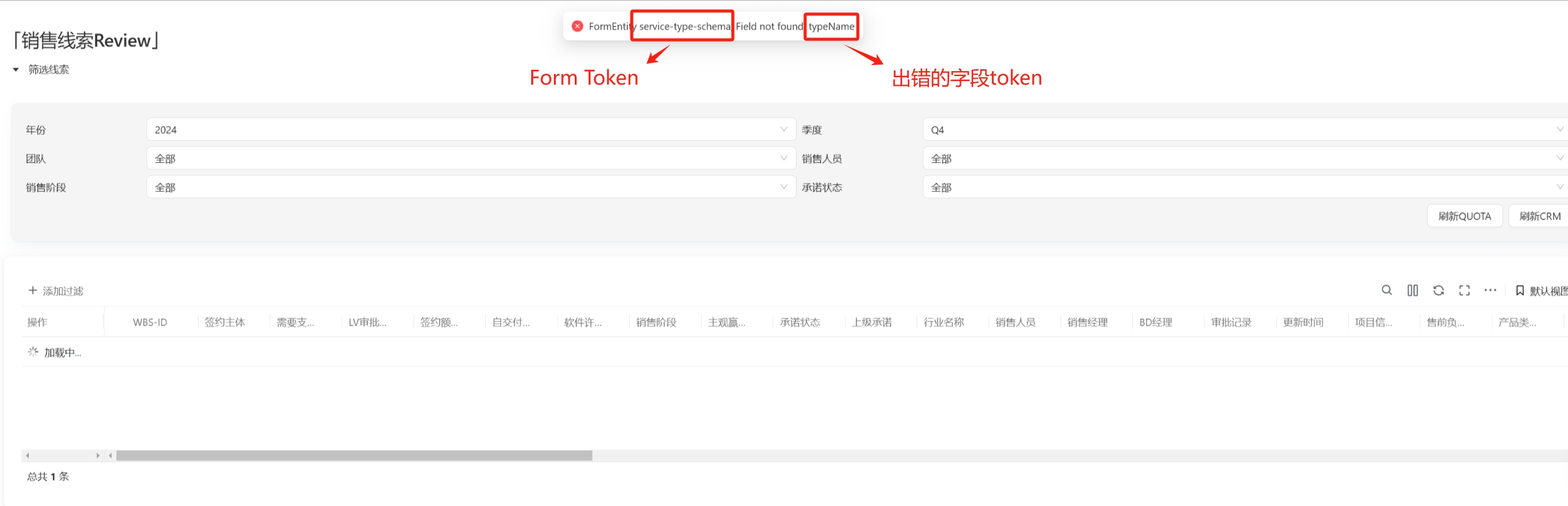

2.Confirm the "Data Source" and "Display Name of Selected Item" for the Field
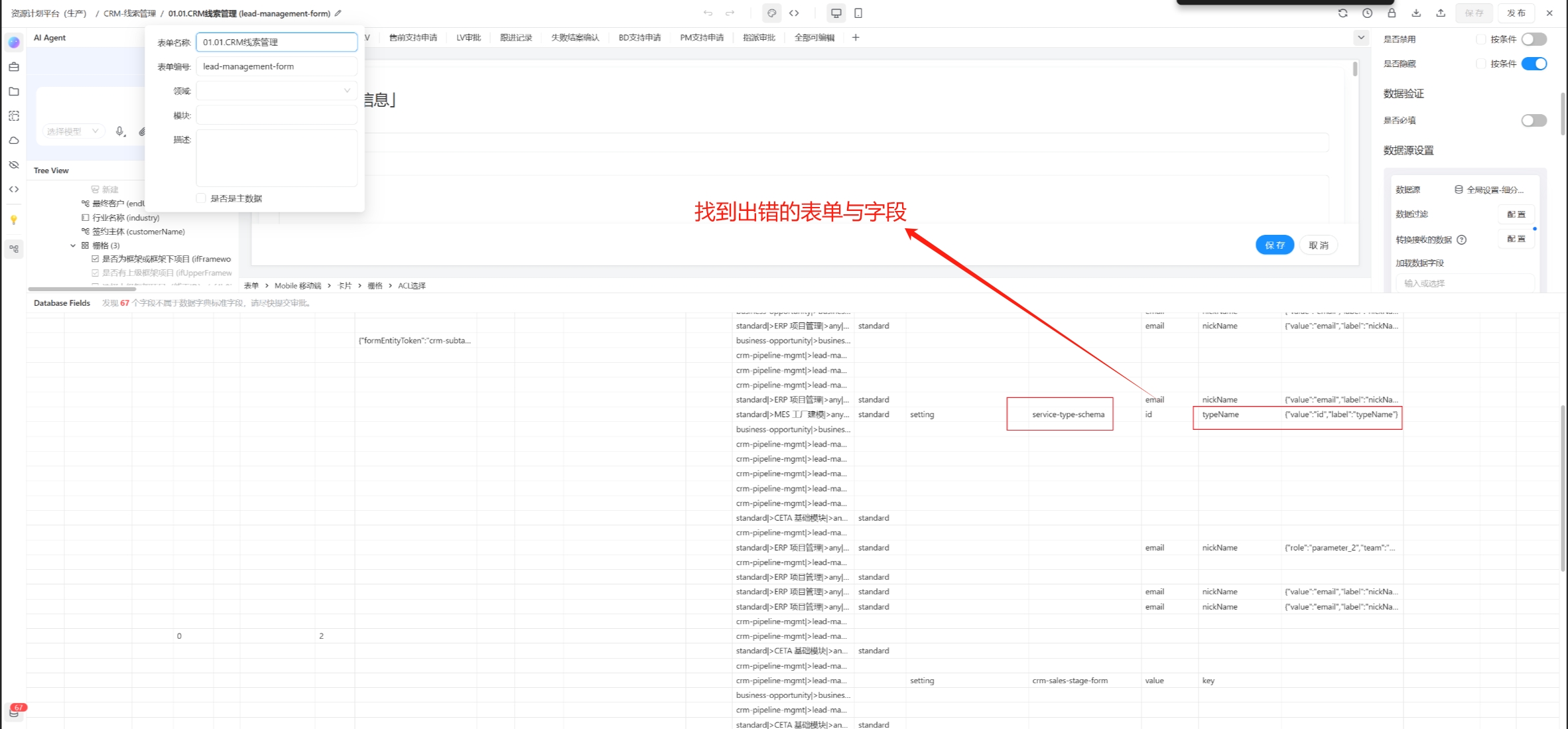
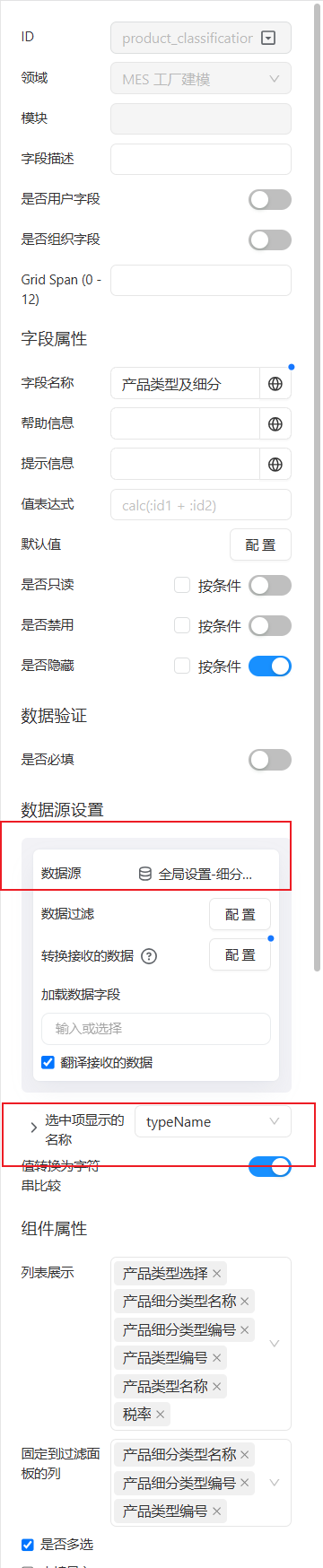
3.Locate the Referenced Form in the Data Source and Check if the "Display Name of Selected Item" Field Exists as Identified in the Previous Step
4.If the Field Does Not Exist or the Field Name Is Incorrect, Make Modifications According to the Actual Situation
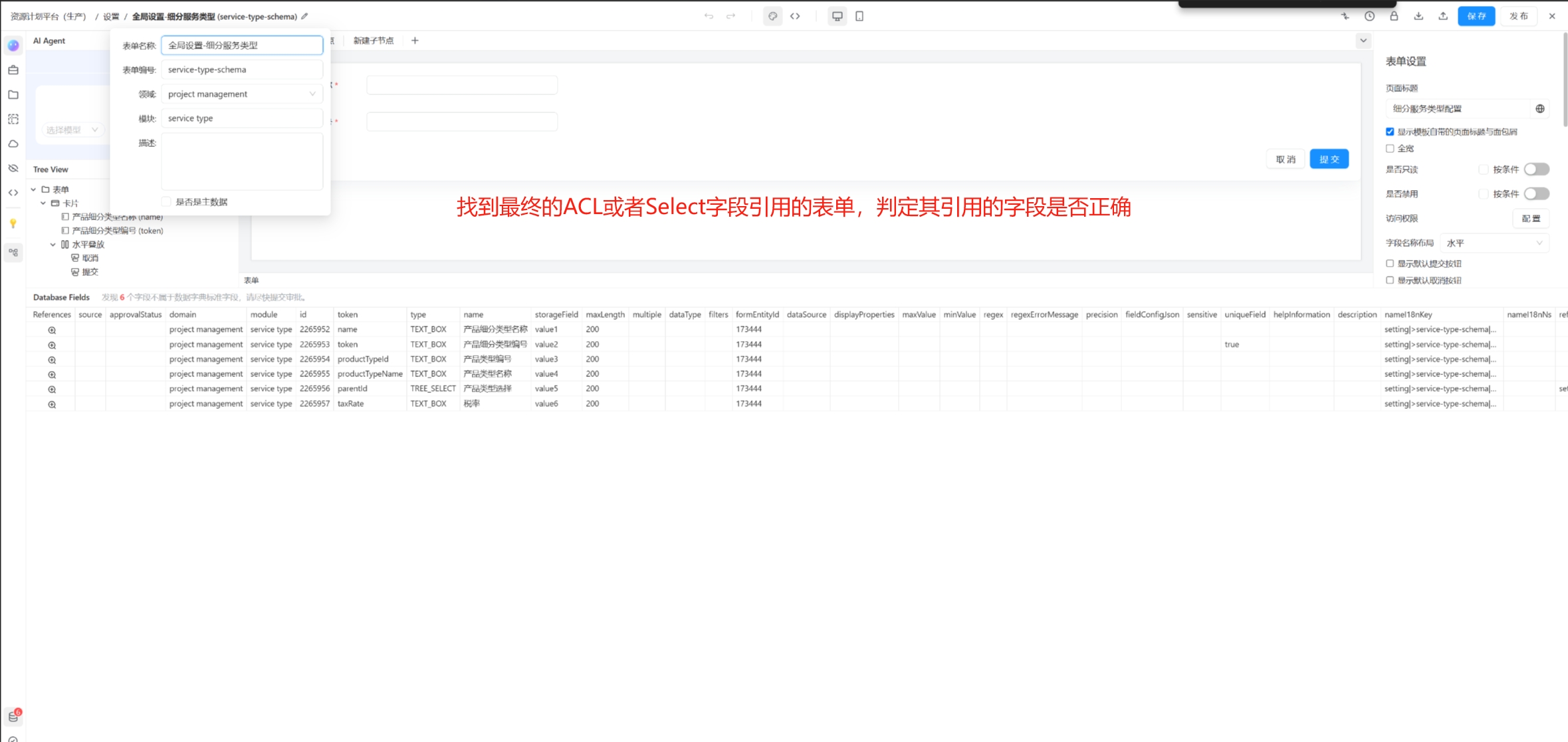
Please follow the above steps to ensure the accuracy and integrity of the form data.