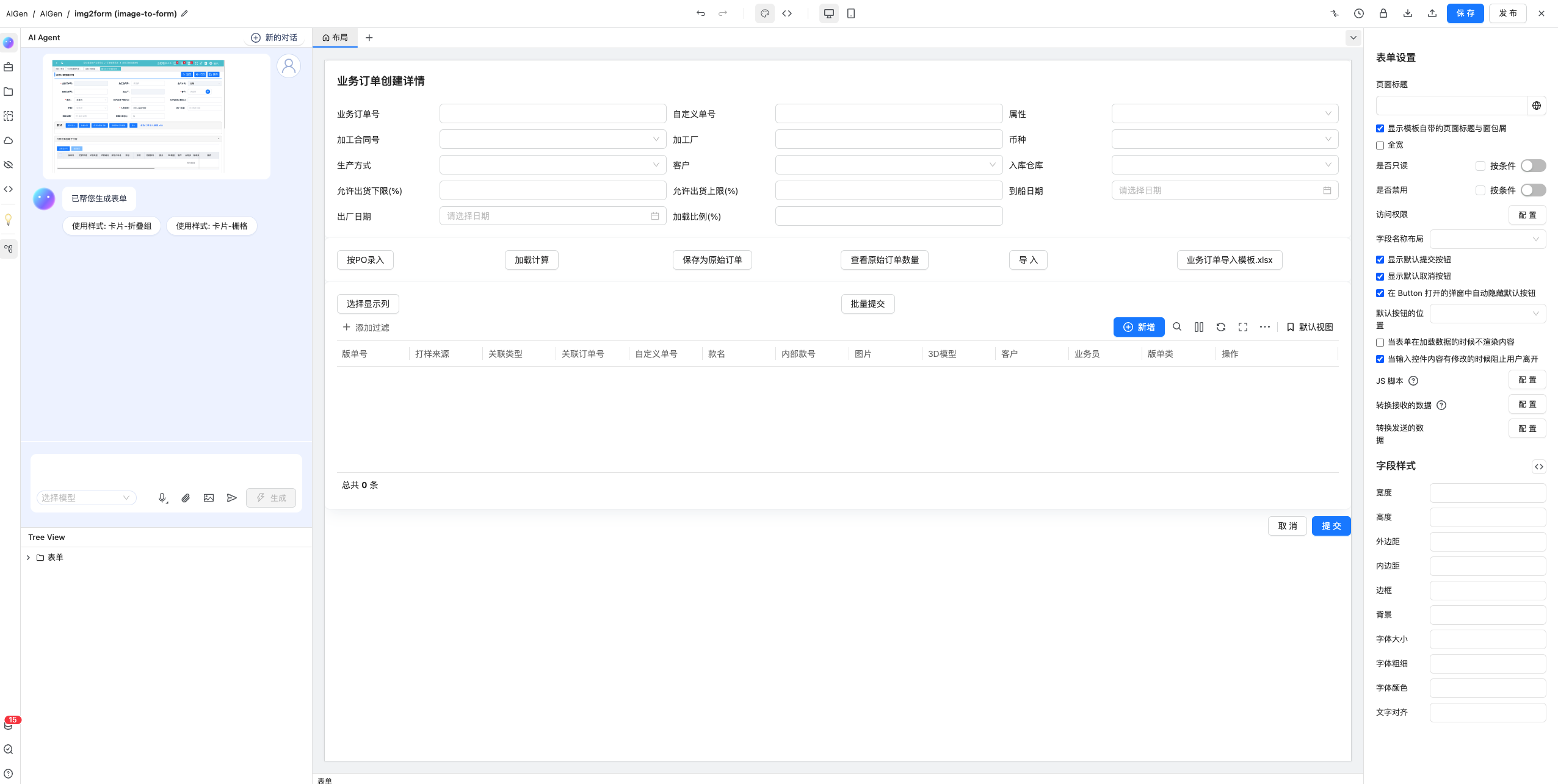
Picture production form
This platform supports the ability to directly generate images by using AI.
Steps for usage
The picture-generating form has two entrances, which can be used.
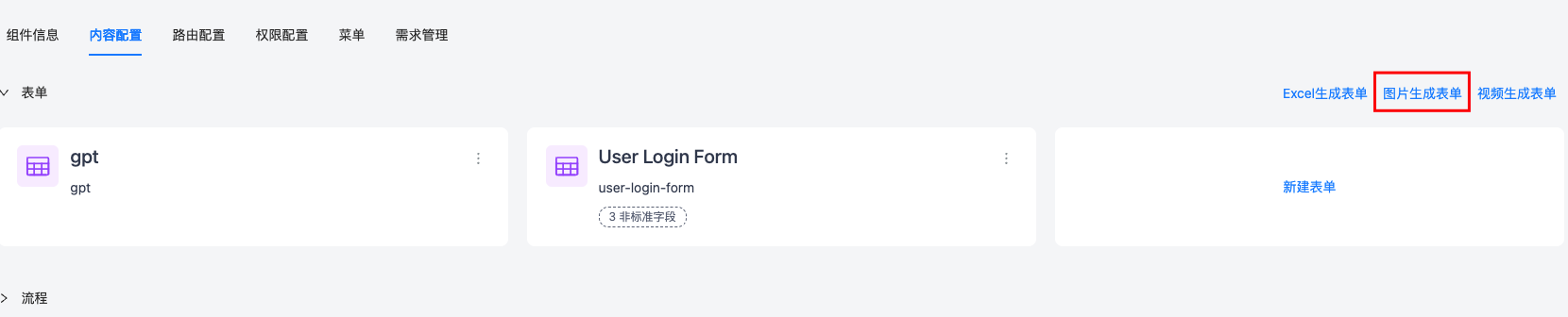
Click the 'Image Generate Form' button on the configuration page.
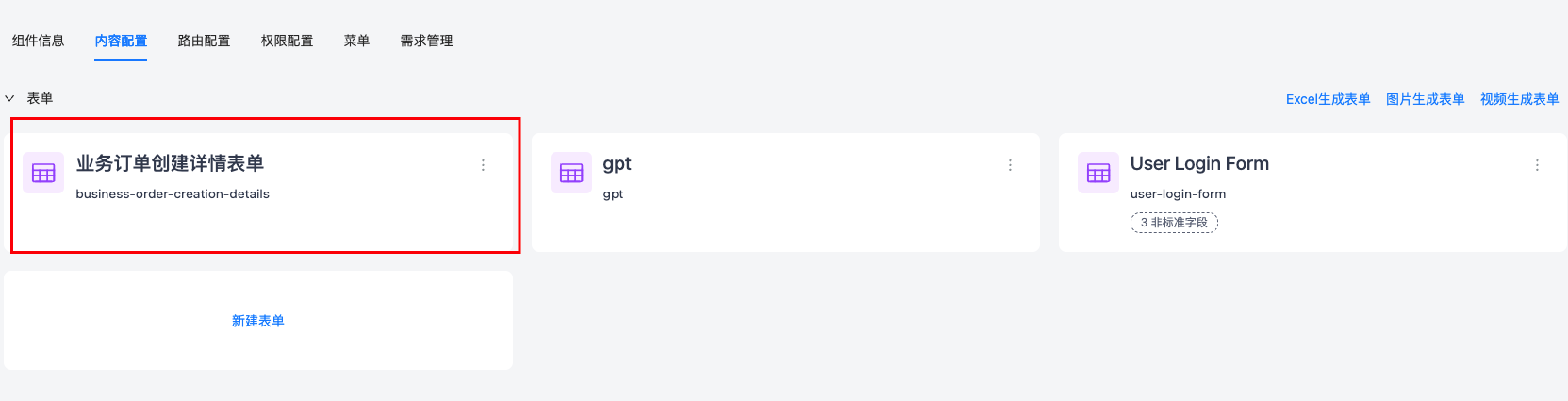
After selecting the picture, wait for execution.

The form is successfully generated and any subsequent operations can be performed.
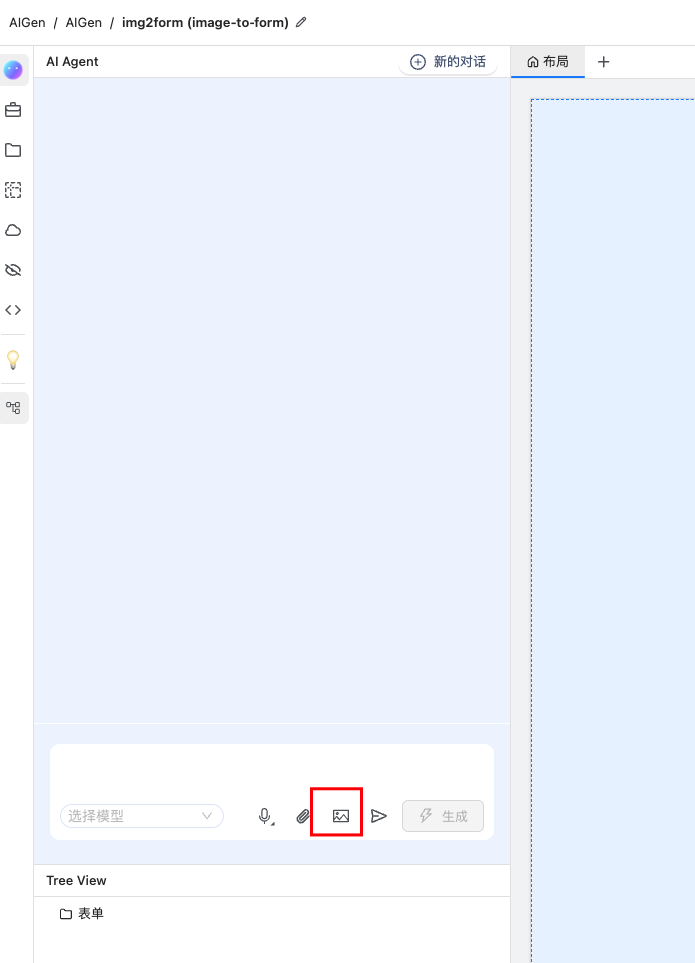
Agent generates a form
After entering the form design page, generate it through the Agent in the sidebar, as shown in the figure.
After selecting the picture, wait for execution.
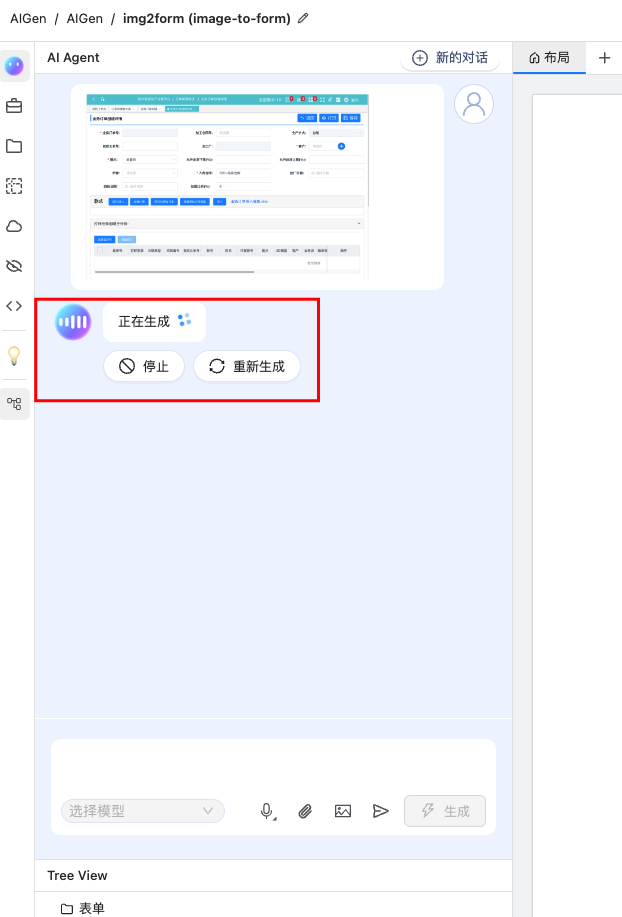
The form is successfully generated and any subsequent operations can be performed.