Flow Design
1. Nodes in a Flow
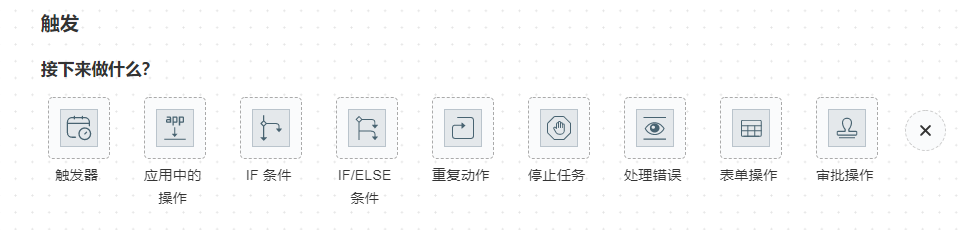
1.1 Triggers
A trigger is a scheduled task that can execute the current flow at specified times. There are three types of scheduling:
- Run once at a specific time.
- Repeat at regular intervals.
- Custom - CRON expression, refer to http://www.quartz-scheduler.org/documentation/quartz-2.3.0/tutorials/crontrigger.html.
1.2 Actions in an Application
Select various SDKs, which can be customized.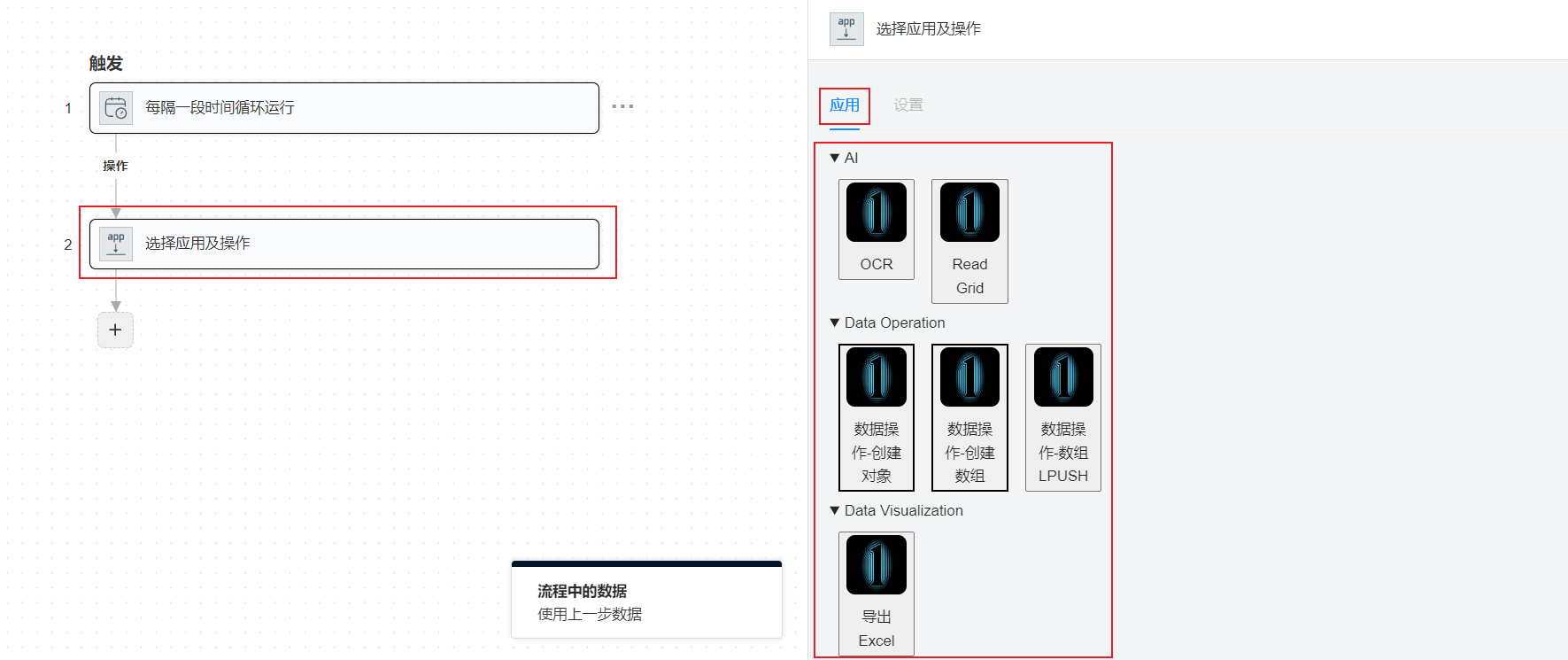
1.3 IF Conditions
If the conditions of IF are met, the flow enters the IF branch. Conditions can be one or multiple, and their relationship can be "AND" or "OR." If "AND" is selected, all conditions are related by "AND."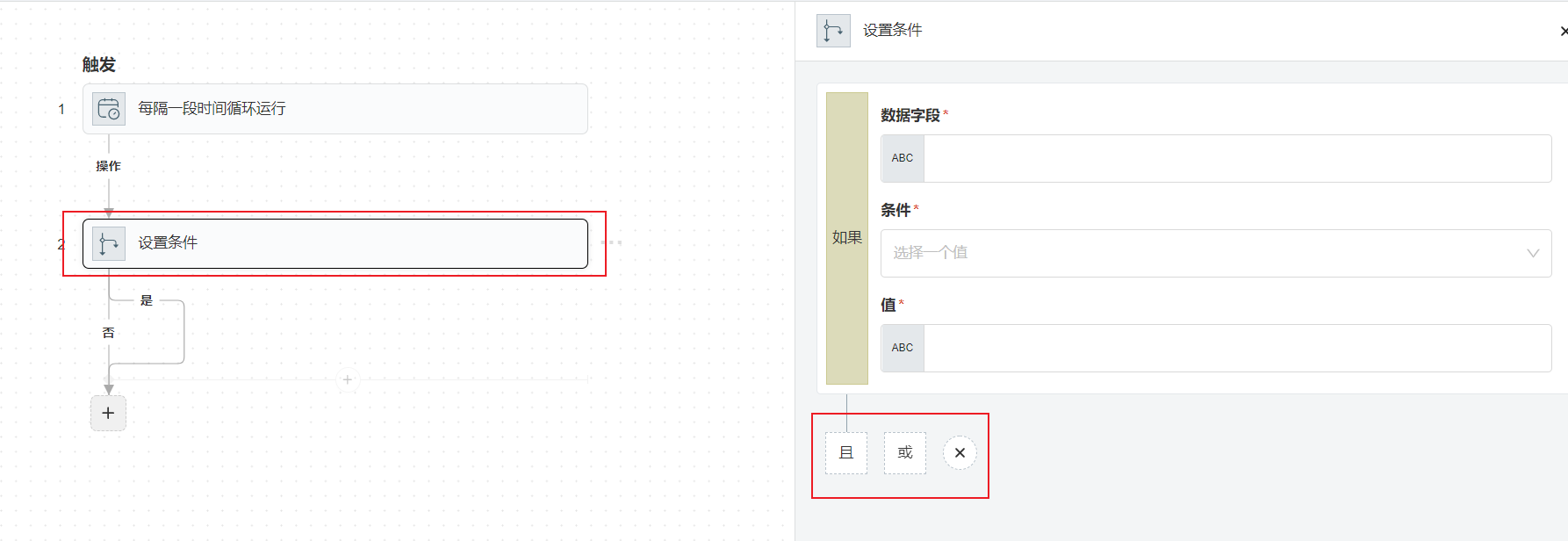
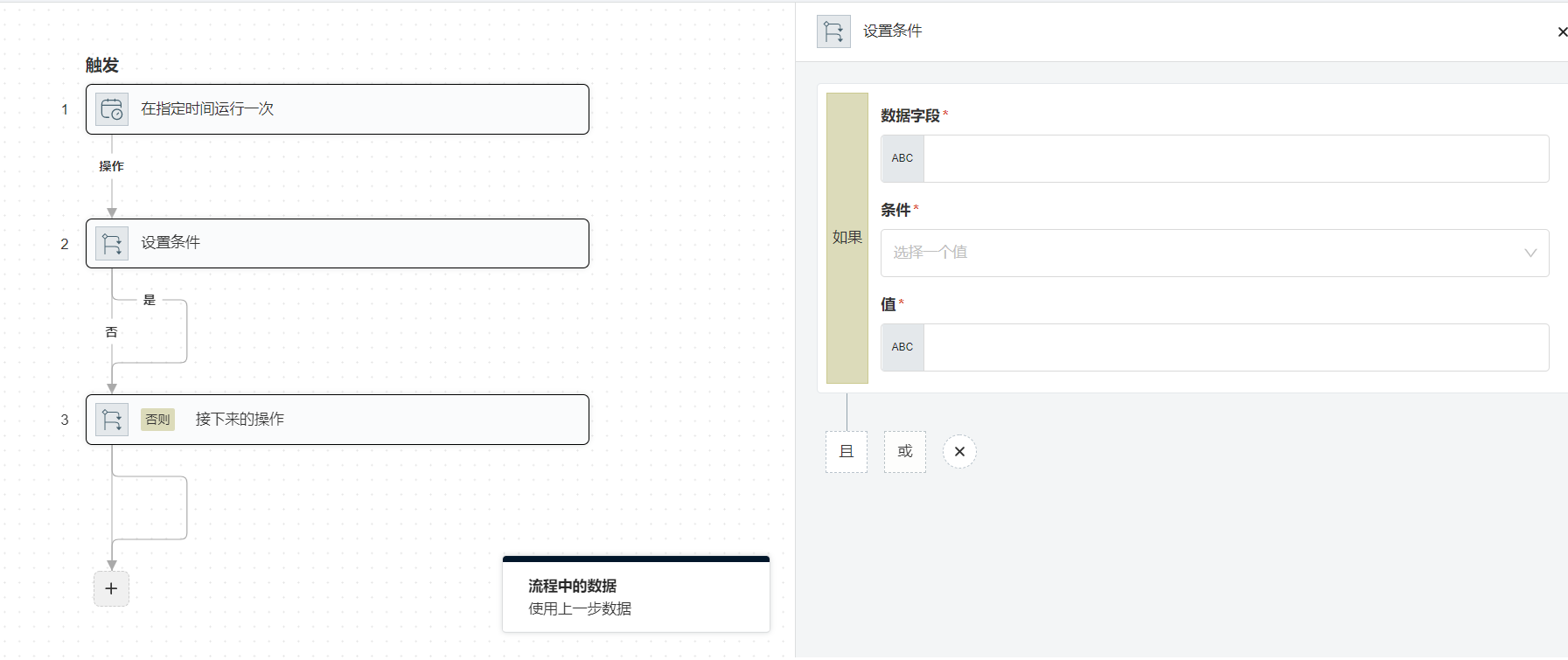
1.4 IF/ELSE Conditions
If the conditions of IF are met, the flow enters the IF branch; otherwise, it enters the ELSE branch. The conditions in IF-ELSE are the same as in IF.
1.5 Repeat Actions
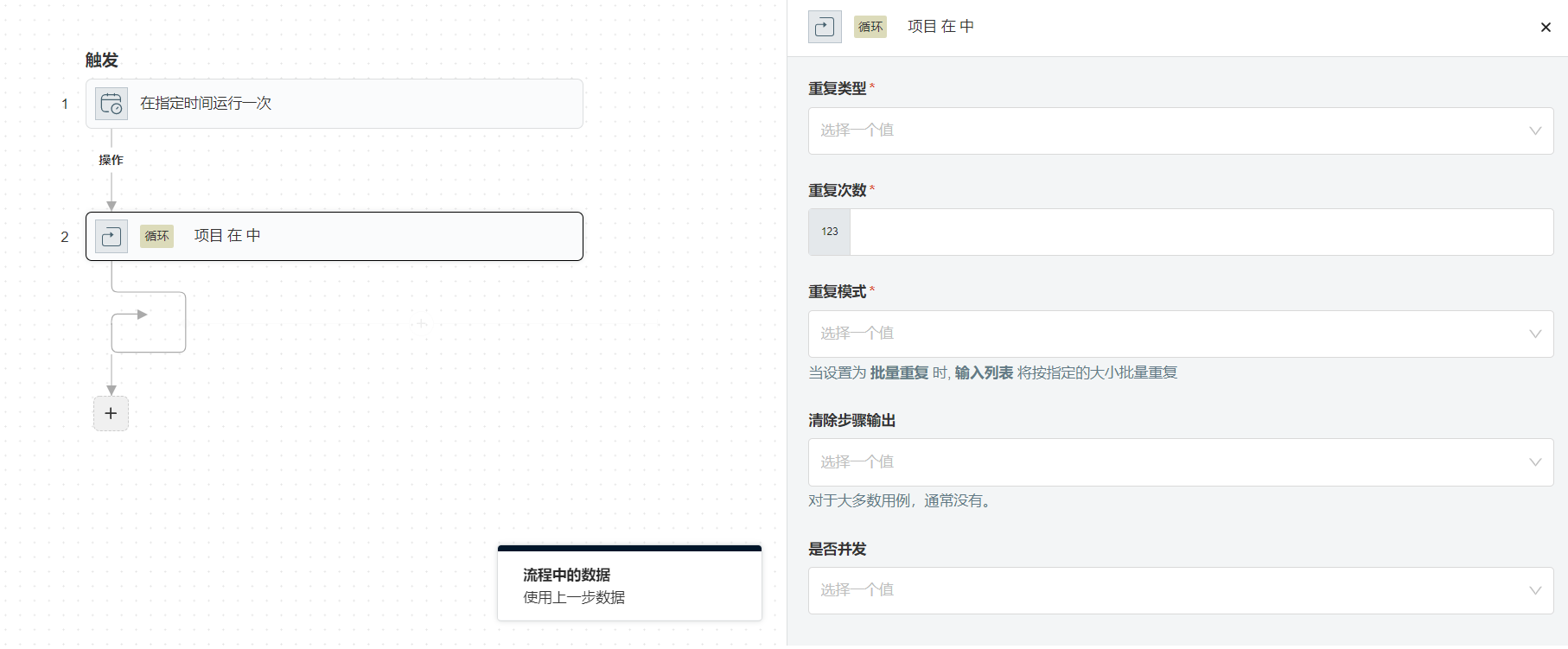
- Repeat Type:
- Input List - Loop through a specific list.
- Repeat Count - Number of repetitions.
- Repeat Pattern - Not supported yet.
- Clear Step Output - Not supported yet.
- Concurrent Execution - Yes, indicates that all data in the loop are processed simultaneously. No, indicates that data is processed one at a time.
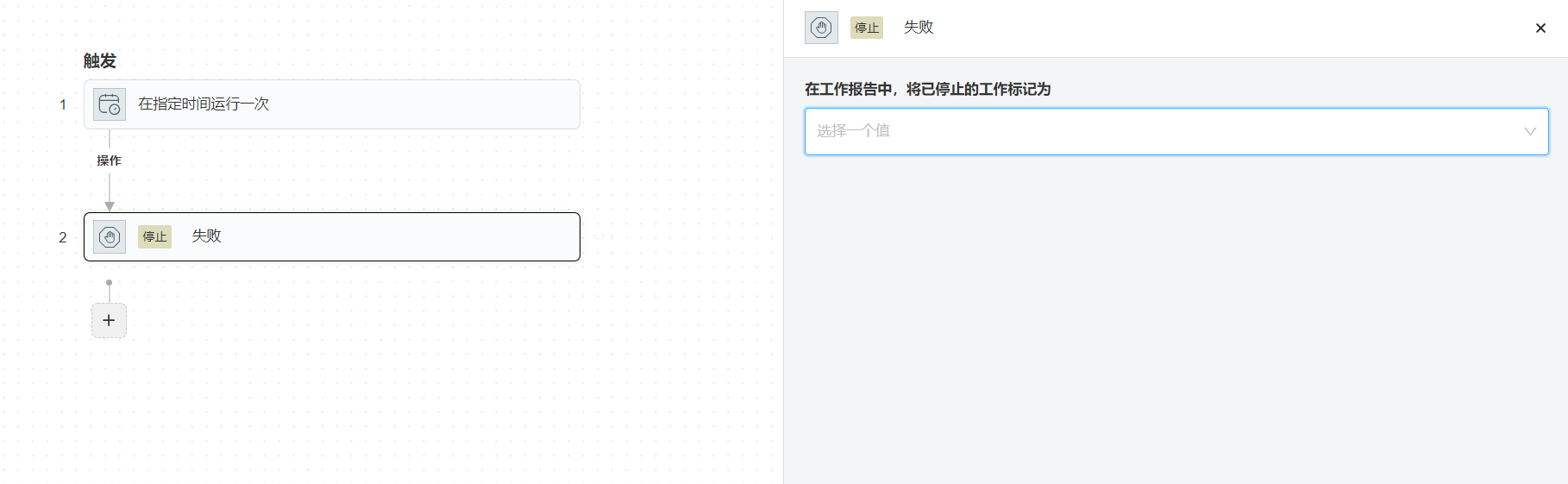
1.6 Stop Task
Indicates the end of the flow.
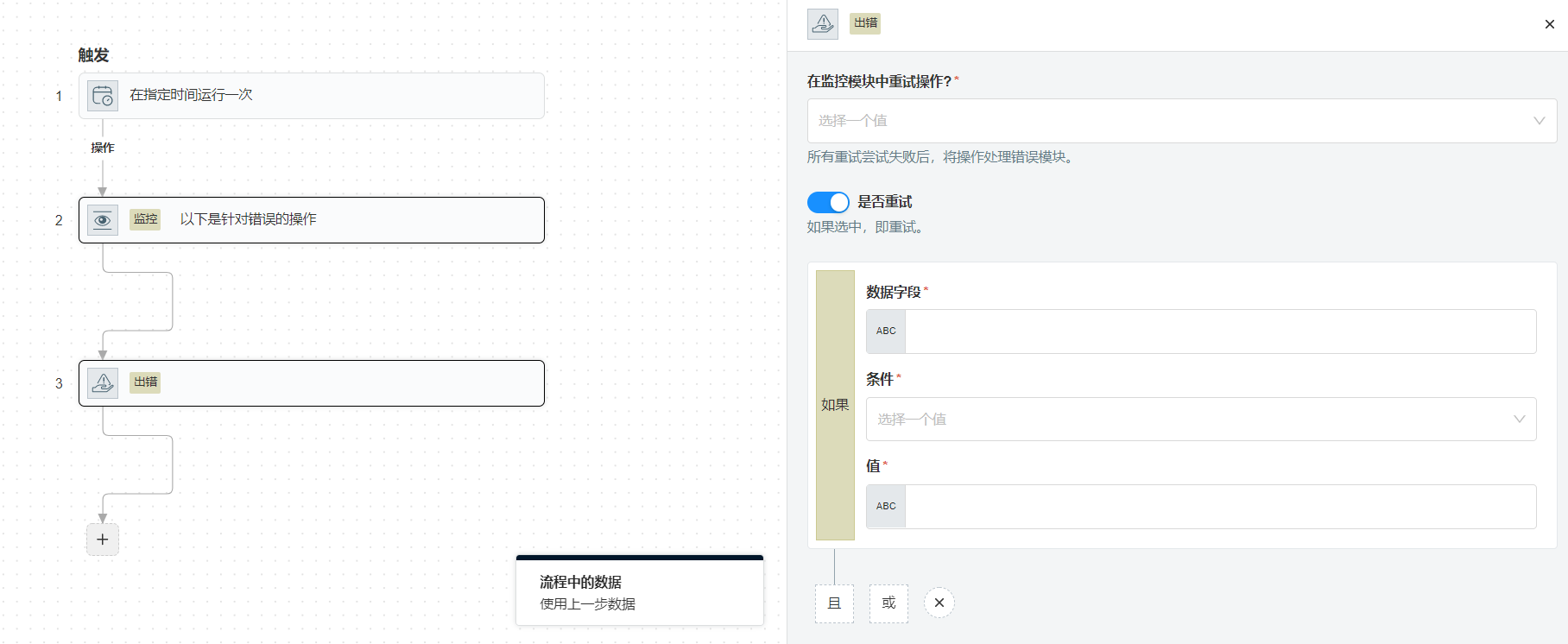
1.7 Handling Errors
Similar to try-catch in programming, this is used to execute additional actions when certain operations fail.
1.8 Form Operations
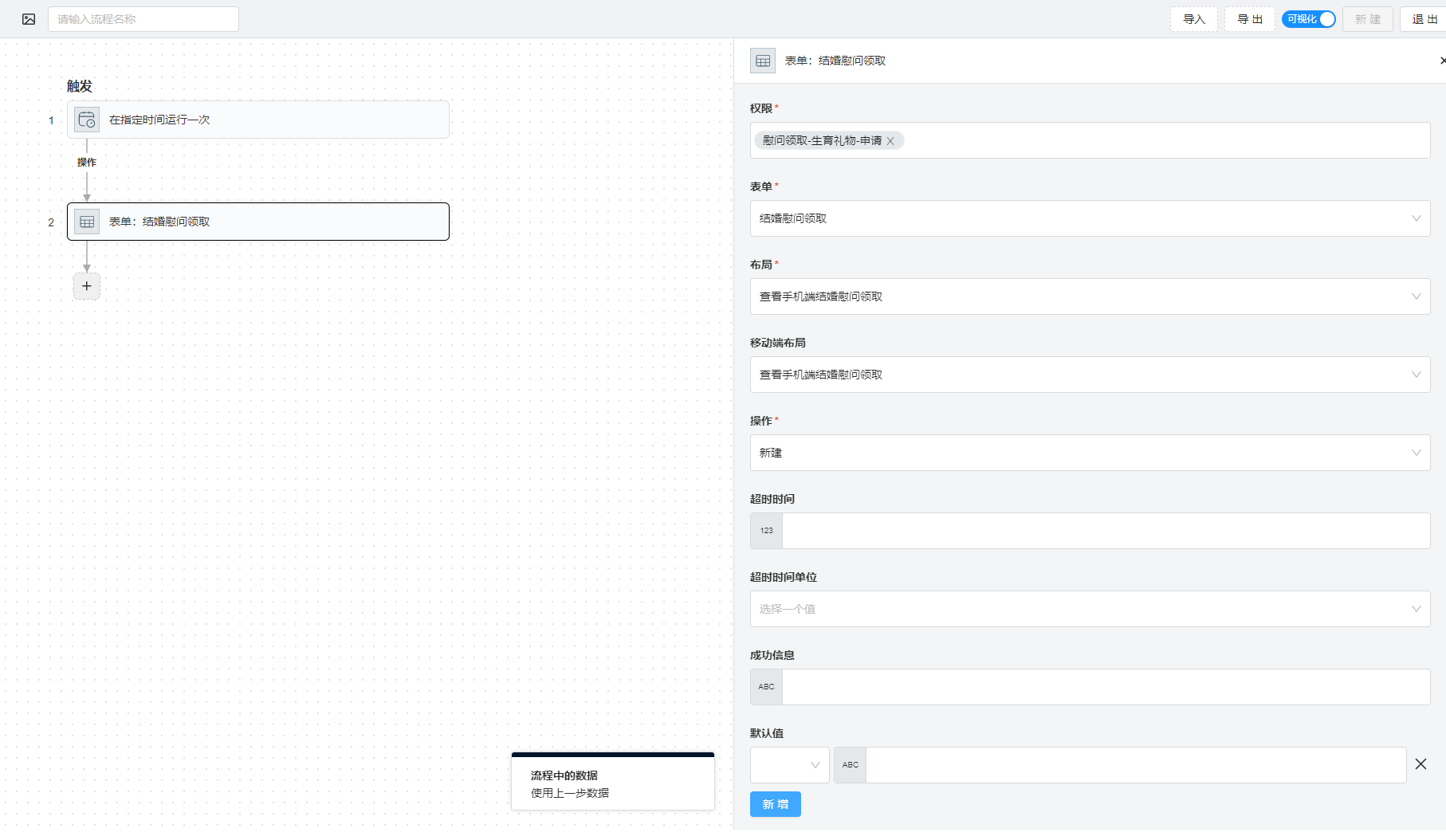
- Permissions - The form required to open this form.
- Form - The form displayed at this node.
- Layout - The layout for desktop.
- Mobile Layout - The layout for mobile devices.
- Operation - Create or edit the current form.
- Timeout - The time after which the current node will timeout.
- Timeout Unit - Days/Hours/Seconds.
- Success Message - The message displayed after successfully submitting the form.
- Default Values - Setting default values for the form.
1.9 Approval Operations
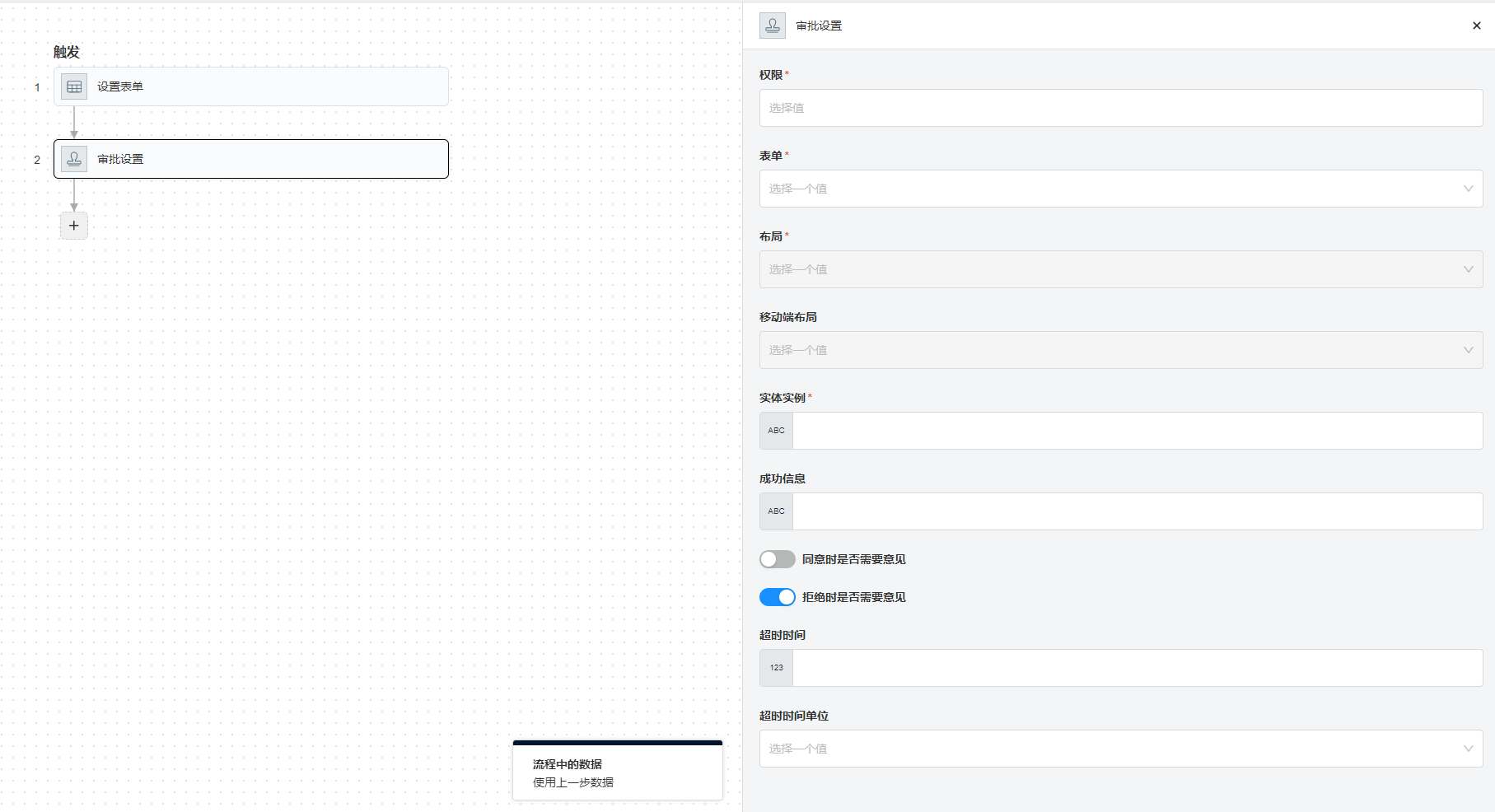
- Permissions - The form required to open this form.
- Form - The form displayed at this node.
- Layout - The layout for desktop.
- Mobile Layout - The layout for mobile devices.
- Entity Instance - The instance ID of the form being approved. The form must already exist.
- Success Message - The message displayed after successful approval.
- Comment Required on Approval - Whether a comment is required when approving.
- Comment Required on Rejection - Whether a comment is required when rejecting.
- Timeout Unit - Days/Hours/Seconds.
- Success Message - The message displayed after successfully submitting the form.
2. Tokens in a Flow
2.1 Fixed Tokens
2.1.1 $SUBMITTER.xxx
Information about the flow initiator.
Available options:
id- Database ID.userId- Same asid.username- Username/Login name.nickName- Alias.email- Email address.phone- Phone number.gender- Gender.birthday- Birthday.position- Job position.workStatus- Work status.mailingAddress- Mailing address.department- Department.avatarPath- Avatar path.roles- Role names.parameter_1- Custom field.- ...
parameter_50- Custom field.visible_parameter_1- Custom field.- ...
visible_parameter_50- Custom field.
Usage Examples
// 1. Direct usage
$SUBMITTER.phone

// 2. Mixed usage
The initiator's phone number is: $SUBMITTER.phone
2.1.2 $CURRENT_USER.xxx
Information about the currently logged-in user.
id- Database ID.userId- Same asid.username- Username/Login name.nickName- Alias.email- Email address.phone- Phone number.gender- Gender.birthday- Birthday.position- Job position.workStatus- Work status.mailingAddress- Mailing address.department- Department.avatarPath- Avatar path.roles- Role names.parameter_1- Custom field.- ...
parameter_50- Custom field.visible_parameter_1- Custom field.- ...
visible_parameter_50- Custom field.
Usage Examples
// 1. Direct usage
$CURRENT_USER.phone

// 2. Mixed usage
The current user's phone number is: $CURRENT_USER.phone
2.1.3 $FLOW_INSTANCE_ID
The ID of the current flow instance.
Usage Example
// 1. Direct usage
$FLOW_INSTANCE_ID
2.1.4 $THREAD_ID
The current Thread ID, typically used in sub-nodes of repeat actions.
Usage Example
// 1. Direct usage
$THREAD_ID
2.1.5 $CURRENT_TIME.xxx
Get the current time.
YYYY_MM_DD_HH_mm- Standard date-time format, accurate to minutes: yyyy-MM-dd HH:mm. For example: 2022-08-25 10:08.YYYY_MM_DD_HH_mm_ss- Standard date-time format, accurate to seconds: yyyy-MM-dd HH:mm:ss. For example: 2022-08-25 10:08:22.YYYY_MM_DD- Standard date format: yyyy-MM-dd. For example: 2022-08-25.
Usage Examples
// 1. Direct usage
$CURRENT_TIME.YYYY_MM_DD

// 2. Mixed usage
The current time is: $CURRENT_TIME.YYYY_MM_DD_HH_mm
2.1.6 $QUERY_PARAMS.xxx
Get query parameters from the URL, mainly used for form default values.
Usage Example
// Assuming the current form path is /ui/mobile/activities/137145/registration?activityId=110&activityName=Badminton Match, then in the form, you can use:
$QUERY_PARAMS.activityId
$QUERY_PARAMS.activityName
2.1.7 $APPLICATION.xxx
Get information from the configuration files, which exist in the backend's application.yml, application-prod.yml.
Usage Example
$APPLICATION.app.base-url
2.2 Dynamic Tokens
2.2.1 If retrieving the result of a form
$x.formEntityDataId- Replace$xwith the ID of the corresponding node. This represents the instance ID of the form.$x.formEntityData.xxx- Replace$xwith the ID of the corresponding node. This represents the data within the form.
3. SDK
3.1 Built-in SDKs
-
Send Message via Enterprise WeChat - Send a message to the specified user with three parameters:
- User - The Enterprise WeChat username of the user to whom the message will be sent.
- Message Type - The type of message to be sent, usually
text. For details, refer to: https://developer.work.weixin.qq.com/document/path/90236 - Message - The message to be sent in JSON format, e.g.,
{ "content" : "Hello" }
-
Create Form Data - This
SDKcurrently does not have a UI interface and can be edited in JSON format:{
"id": xxx,
"type": "APP",
"sdk": {
"id": 13,
"name": "Create Form Data",
"sdkType": "CREATE_ENTITY",
"inputFields": [],
"outputFields": [],
"formInput": {
"userId": "$2.value.userId",
"username": "$2.value.username",
"nickname": "$2.value.nickName"
},
"formEntityId": "1"
}
}
4. Creating a New Flow
TODO