Link Field
Background
A Link Field, also known as a virtual field, is an attribute of the ACL or Select input components. It is used when two forms reference each other to solve data redundancy and data consistency issues.
Typical Usage of ACL and Select Components
ACL (an acronym for Auto Completion List) and Select are input components designed to conveniently fill out forms, with content sourced from other forms or Rest API data sources. When ACL or Select references other forms, it ensures data consistency between different forms.
For example, to design an Employee form that displays the department name for each employee:
- Add a department field of type
ACLto theEmployeeform, referencing theDepartmentform and displaying the department name. - Prerequisite: You have already designed the
Departmentform, which contains adeptNamefield for the department name.
To add an ACL input component to the Employee form:
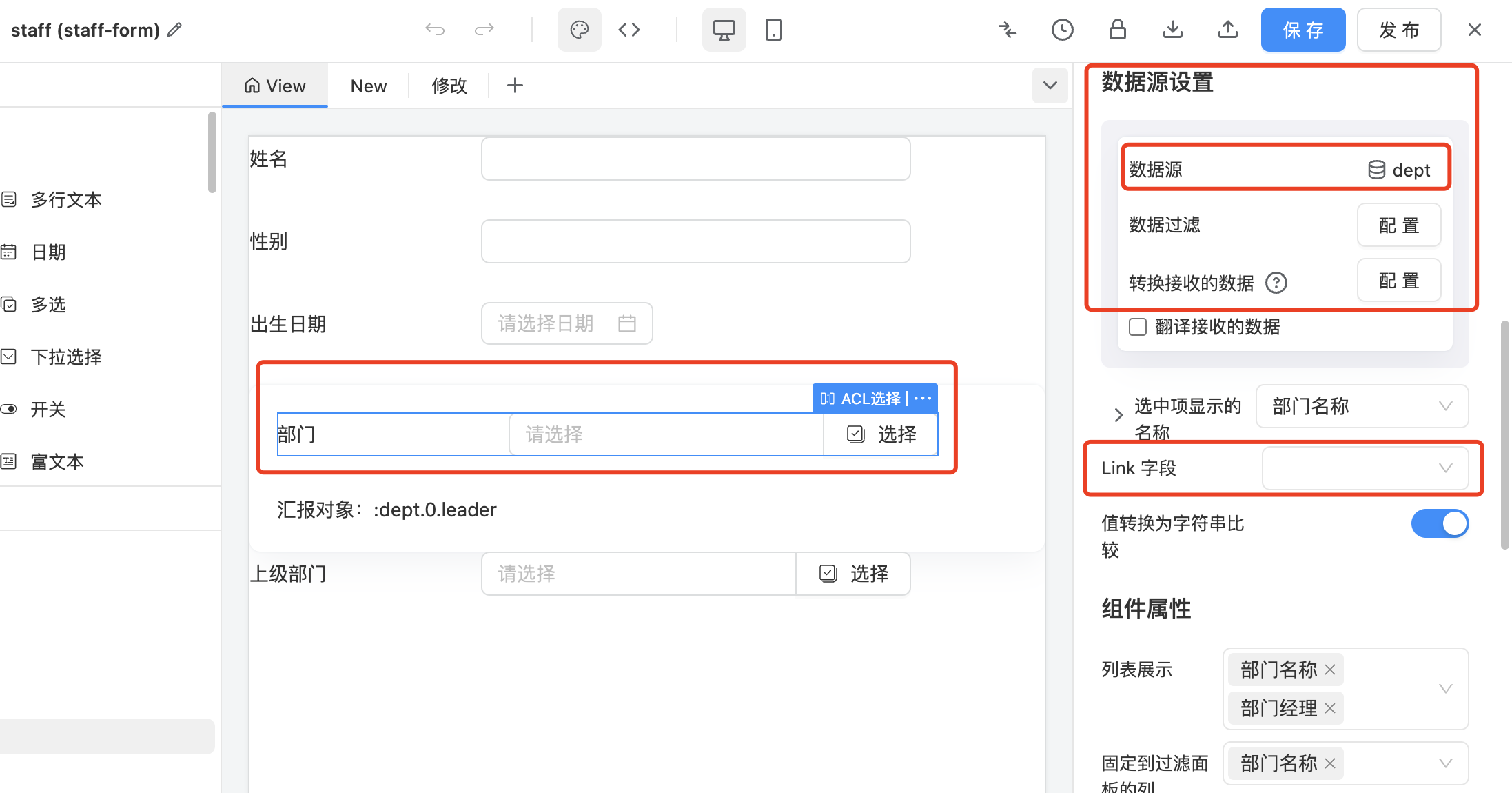
- In the
ACLproperties, find theData Source Settingsoption. - Click on the data source and select the
Departmentform from the dropdown list. - Leave other options at their default values. The form designer will fill in the basic configuration items for you.
- You will see that the
Display Name of Selected Itemis already filled withDepartment Name. You can also select other fields from the dropdown list to display department information.
When filling out the Employee form, simply click the selection button on the right side of the ACL to list all available department information. Select one or more (in case of multi-select configuration) to establish the association between the employee and the department.
When displaying the Employee form, the selected Department Name will be shown in the component. If multiple selections are made, the Department Names will be displayed in the component separated by delimiters.
The ACL and Select components have almost identical functionality and configuration. The difference lies in the front-end display form:
Selectis a dropdown list suitable for situations with fewer items to choose from.ACLpops up a selectable form, listing multiple records available for selection and displaying multiple fields of the referenced records.
The JSON configuration for the above example is as follows. Pay attention to the settings of dataSource, mapping, and multiple:
JSON复制
{
  "component": "ACL",
  "id": "dept",
  "title": "Department",
  "componentProps": {
    "dataSource": {
      "token": "test-dept-form"
    },
    "mapping": {
      "value": "id",
      "label": "deptName"
    },
    "multiple": true
  }
}
Here, "test-dept-form" is the token of the Department form, and multiple is set to true for multi-select.
When storing data in the backend, the dept field in the Employee form stores the ID of the associated department information. For example, if Alice's department is Sales with an ID of 1001, then Alice's employee record will store 1001 in the dept field.
Link Property and Mutual Reference Relationship
When two forms each have an ACL field referencing the other, we can bind these two fields and call it a mutual reference relationship. CETA has designed the Link property specifically for fields in mutual reference relationships.
Assuming both mutual reference ACL fields store the value of the referenced record (usually the ID), this would lead to two issues:
- Data redundancy: Both sides store the other's reference value, typically the ID.
- Data synchronization: When the reference is modified, both sides need to be updated simultaneously.
To address these issues, we introduce the Link property, and CETA's backend performs special handling for fields with this property set.
Continuing with the example of Employee and Department forms, consider the following scenario:
Add a field Employee List (an ACL multi-select field) to the Department form to display all personnel in a department. Employees assigned to the Sales department will be listed in the Employee List field of the Sales department form.
When you add an ACL field Employee List to the Department form and select the Employee form as the data source, a Link property will appear below the Data Source Settings in the ACL properties. Select the dept field in this dropdown to set the Employee List field as a Link field, indicating that the Employee List field is bound to the dept ACL field in the Employee form as a mutual reference relationship.
Fields with the Link property can be considered virtual fields. They do not have actual storage and rely on the storage of the bound mutual reference field. When displaying data, the backend service analyzes the association stored in the mutual reference field (the dept field in the Employee form) to find the list of employees in that department.
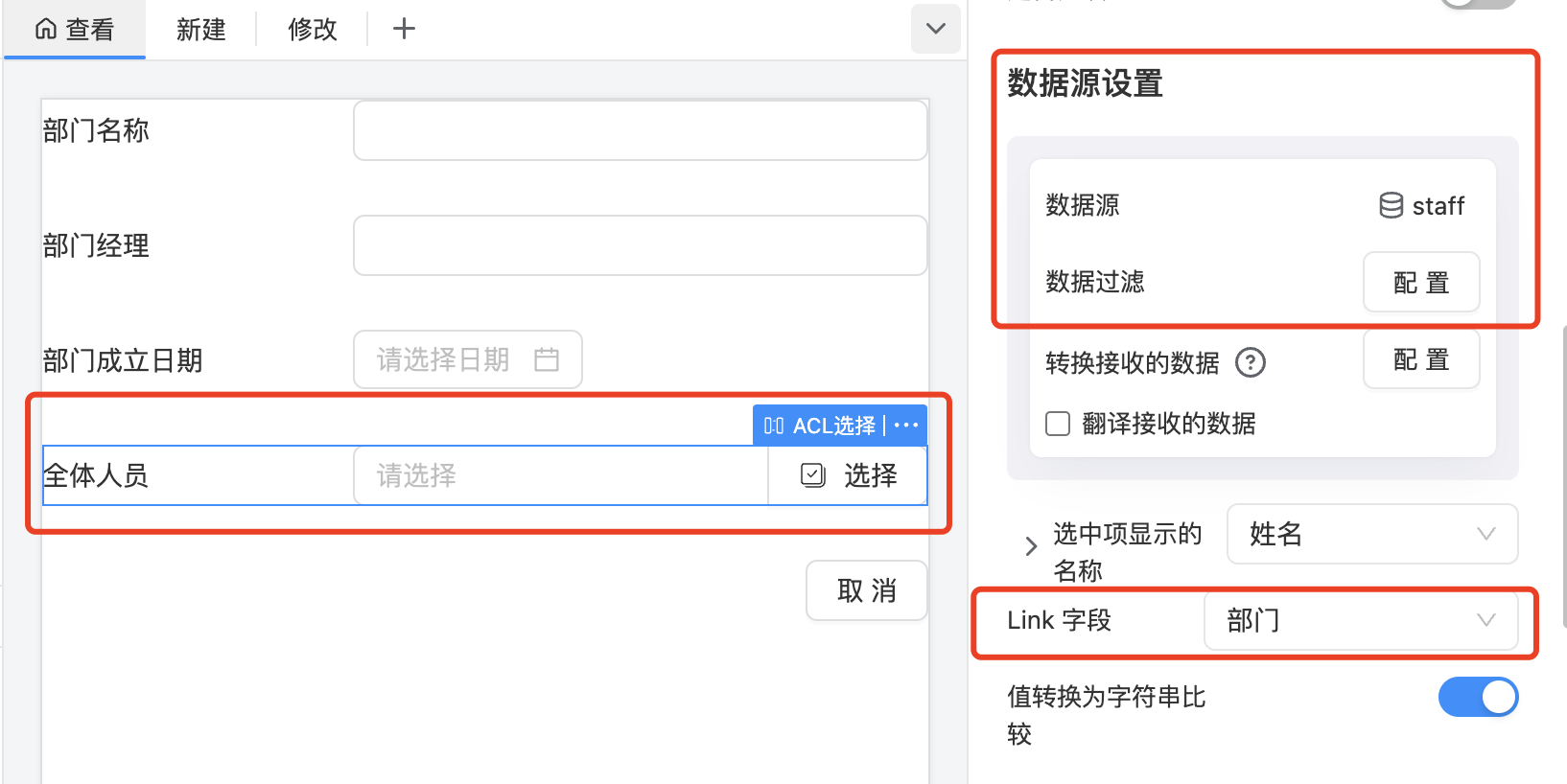
In the above figure, the Link field specifies that the Department corresponds to the ACL field dept in the staff employee form.
When editing the information of employees Alice, Bob, Chris, and Dony one by one and setting their departments to Sales, their dept fields will store the ID of the Sales department, 1001. When displaying the information of the Sales department, the backend filters out the list of employees with dept = 1001.
The convenience lies in the fact that when you edit the Sales department, you can add or remove employees to obtain a new employee list. After saving, the backend will synchronize the changes to these employees' department information to Sales and change the department information of removed employees to an empty value. This provides a quick way to batch-modify employees' department information.
Note:
-
The two fields in a mutual reference relationship cannot both have the
Linkproperty set. The best practice is to set the single-select side of the ACL/Select to the actual reference, while the multi-select side should have theLinkproperty set.If both sides are multi-select or both are single-select, set the side that is frequently edited as the actual reference and the side that is frequently displayed with the
Linkproperty. -
If it is not set as a mutual reference relationship, you can select
Nonein theLinkproperty dropdown. For example, adding an ACL fieldmanagerto theDepartmentform to represent the department manager, who is also an employee of the company. In this case, themanagerfield and thedeptfield in the Employee form do not have an actual peer-to-peer association. Therefore, you should selectNonein theLinkproperty. Thus, themanagerfield is the actual reference field and needs to store the ID of the manager's record in the Employee form. For example, if Alice is the manager of the Sales department with an ID ofE2001, then the Sales department'smanagerfield will storeE2001.
Actual Effect of Link Fields:
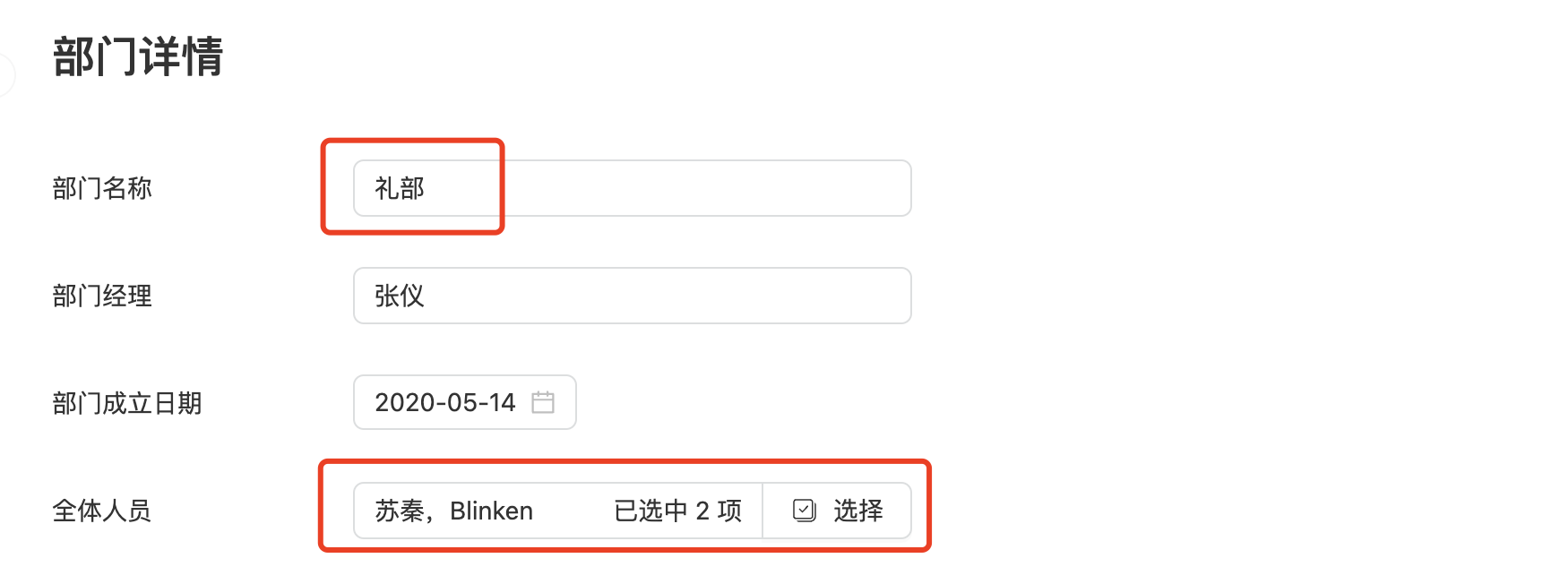
Employee List:
When setting an employee's department to Etiquette Department, the department information displays all employees.
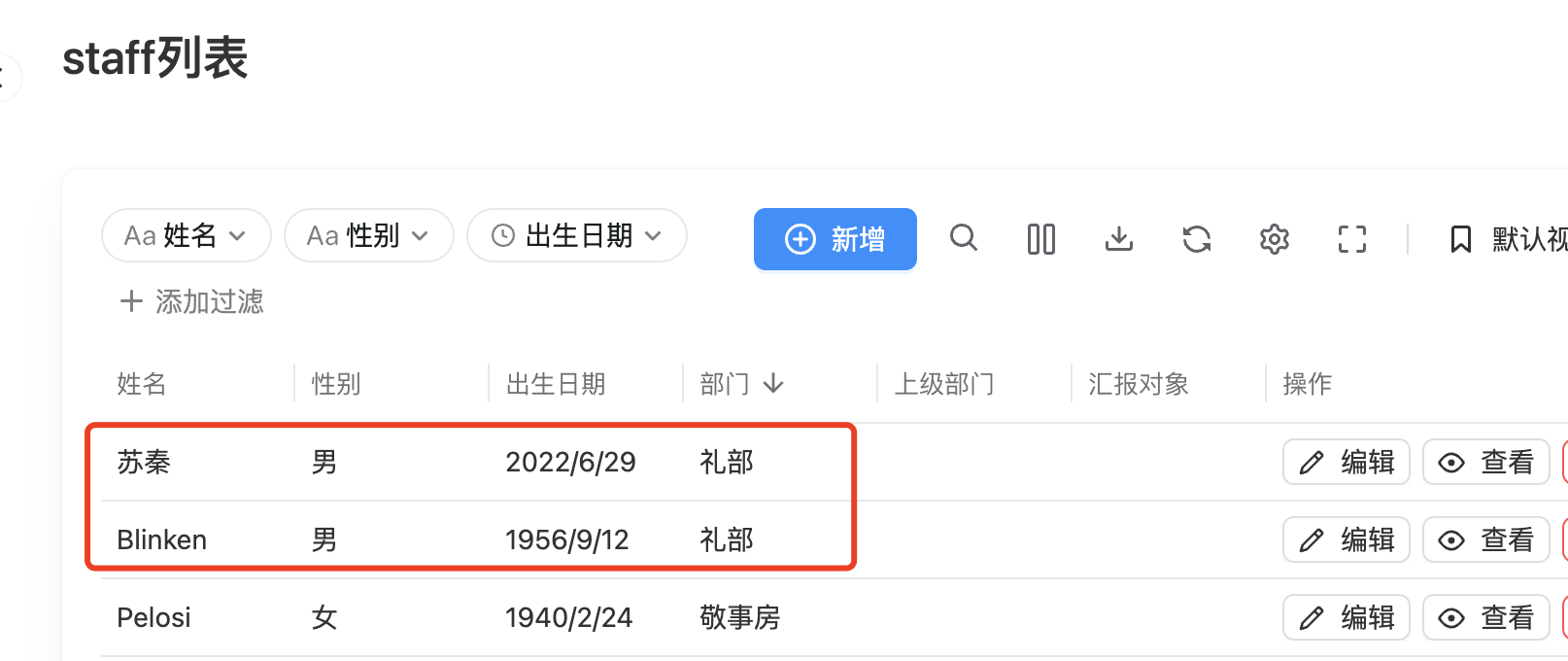
Department Details: