Exporting Platform Project to Local for Development
Configuring Local Frontend Development Environment
Configure the local frontend development environment according to the documentation: Configuring Local Frontend Development Environment.
Exporting Platform Project Source Code Locally
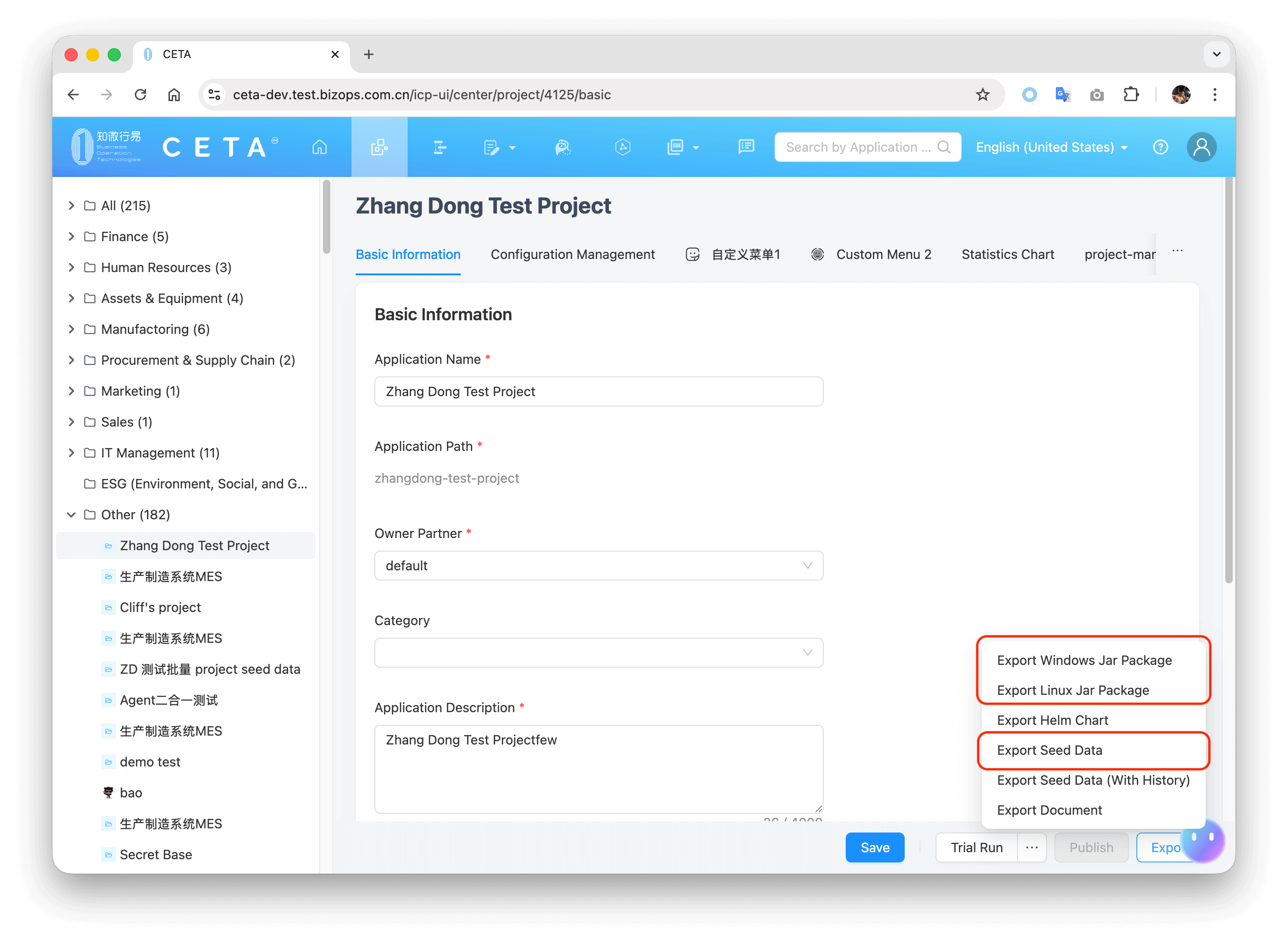
- On the platform project page, click "Export Windows Package" or "Export Linux Package", and then unzip it.
- On the platform project page, click "Export Seed Data", rename the exported JSON file to
project-seed-data.json, and copy it to the root directory where the package was unzipped in the previous step.
Installing Dependencies
Navigate to the source_code\frontend directory of the exported project source code, and run the following command to install dependencies:
yarn
Confirming Script Version
Check the version dependencies of the packages starting with @icp/ highlighted in the screenshot below in source_code\frontend\package.json:
- If the
@icp/packages in yourpackage.jsonare version 2.XX, ensure their version is greater than or equal to 2.0.67. - If the
@icp/packages in yourpackage.jsonare version 3.XX, ensure their version is greater than or equal to 3.0.26.
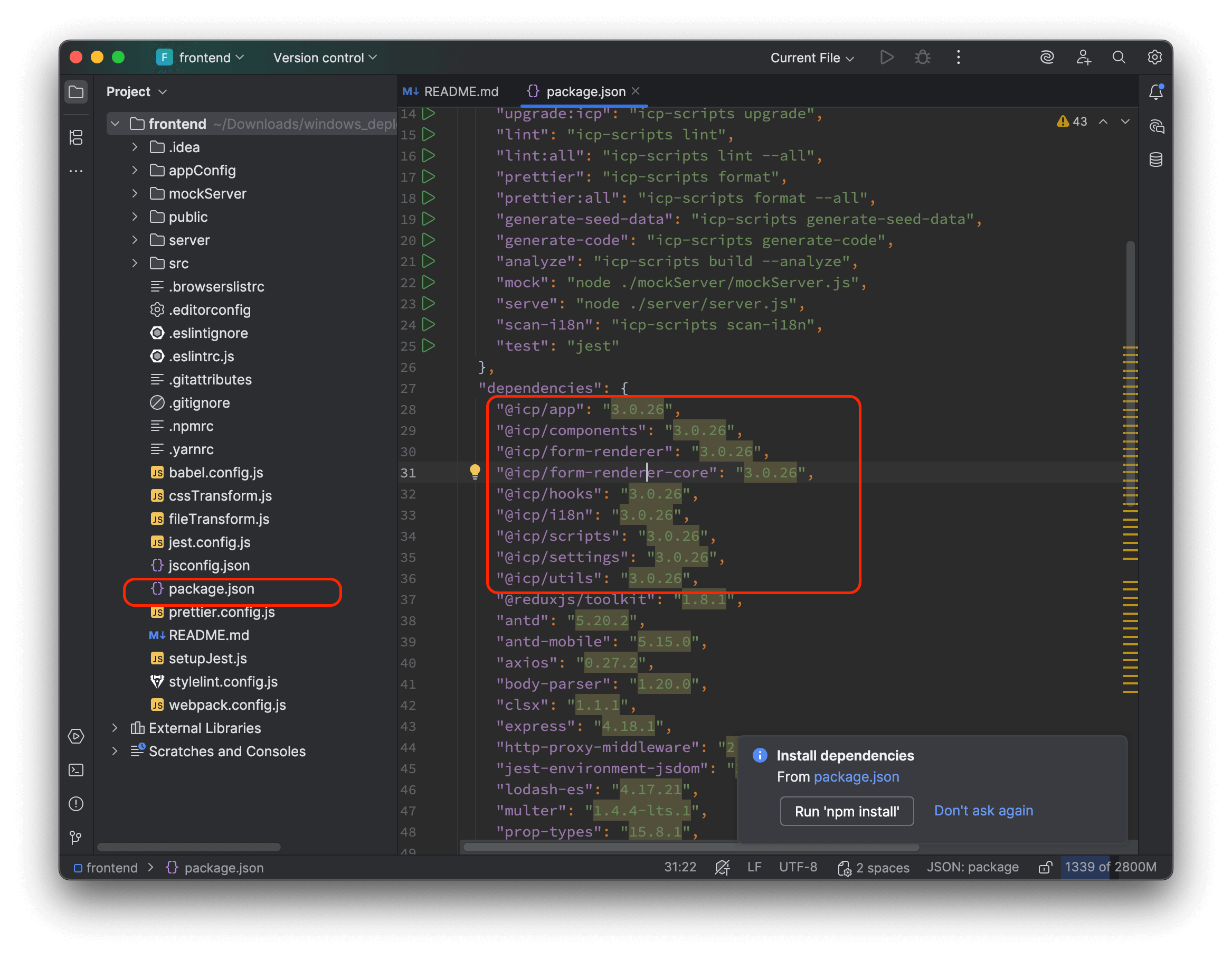
If the version does not comply, you can run the following commands in the source_code\frontend directory to update to the latest version, and then re-run the yarn command to install dependencies:
yarn upgrade:icp

yarn
Extracting All Frontend Configurations and All Forms/Pages in PBC
Navigate to the source_code\frontend directory of the exported project source code, and run the following command to extract all configuration files:
yarn icp-scripts decompress-front-end --input ../../project-seed-data.json --output .
After successful execution, check if src/pbc contains all the PBCs for this project.
Code Generator: Generating React Code for All Forms and Pages
After successfully executing all the steps above, the JSON source code for all forms and pages under this project's PBCs is located in src/pbc.
If you want to generate JS code from this form and page JSON source code for modification, navigate to the source_code\frontend directory of the exported project source code, and run the following command to generate the frontend React JSX code for all PBCs:
yarn generate-code
After successful execution, check the folder structure under src/pbcCode to ensure it corresponds exactly to the src/pbc directory.
The pbc directory contains the JSON configurations for all PBCs. pbcCode contains the React JSX code converted from all the forms and pages within them.
Project File Interpretation
Taking my test project as an example, the local frontend project file structure is as follows:
The pbc directory contains the JSON configurations for all PBCs. pbcCode contains the React JSX code converted from all the forms and pages within them.
frontend
├── appConfig
│   └── app.config.json
├── mockServer
│   ├── server.js
│   └── ...
├── public
│   ├── index.html
│   └── ...
├── src
│   ├── pbc
│   ├── pbcCode
│   ├── App.js
│   └── ...
├── .eslintrc.js
├── package.json
├── README.md
├── webpack.config.js
└── yarn.lock
└── ...
Top-level Configuration Files
The top-level configuration files contained in the root directory of the local frontend project, such as package.json, webpack.config.js, .eslintrc.js, etc., are standard configuration files for open-source frontend projects.
appConfig Directory
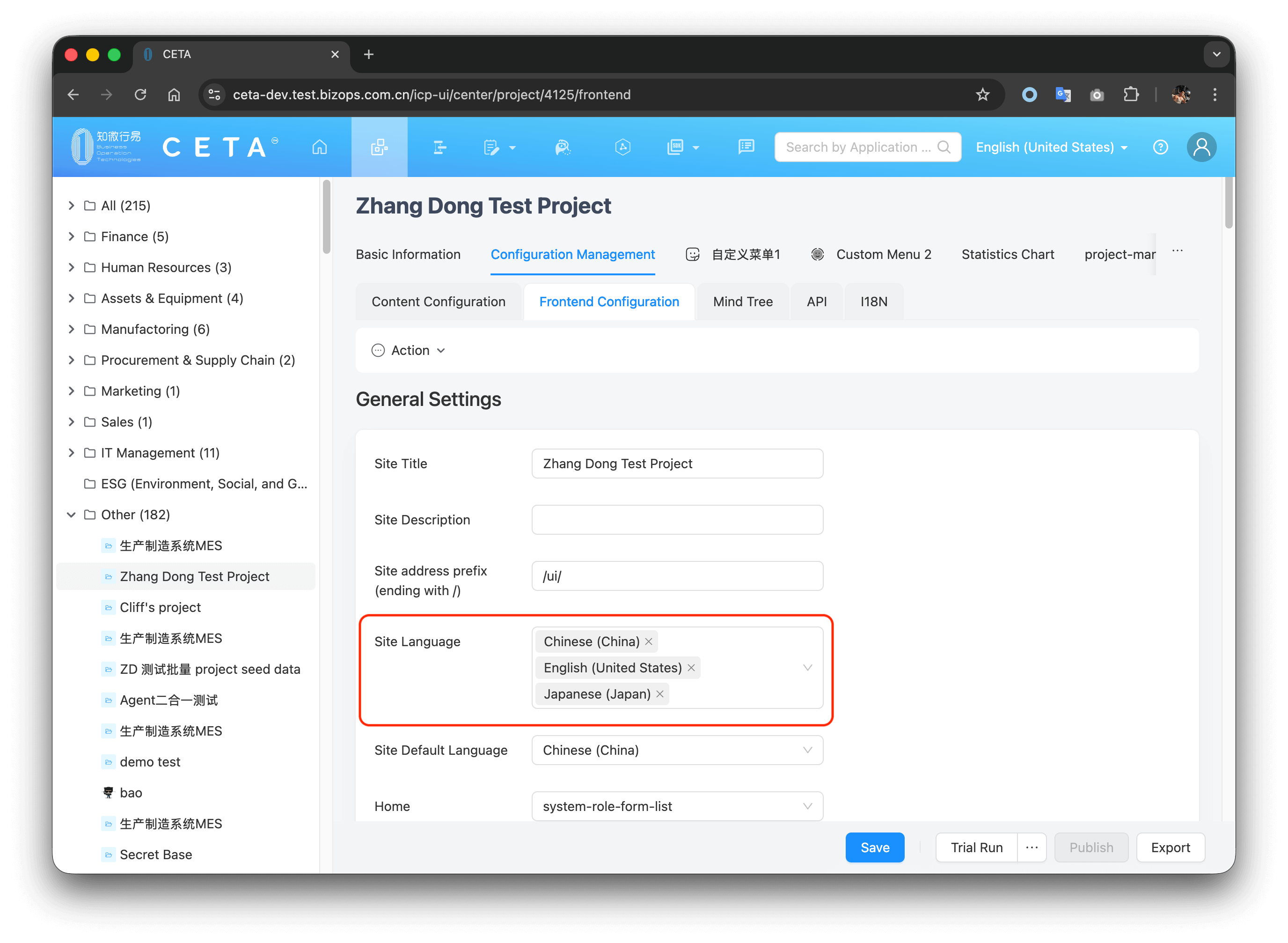
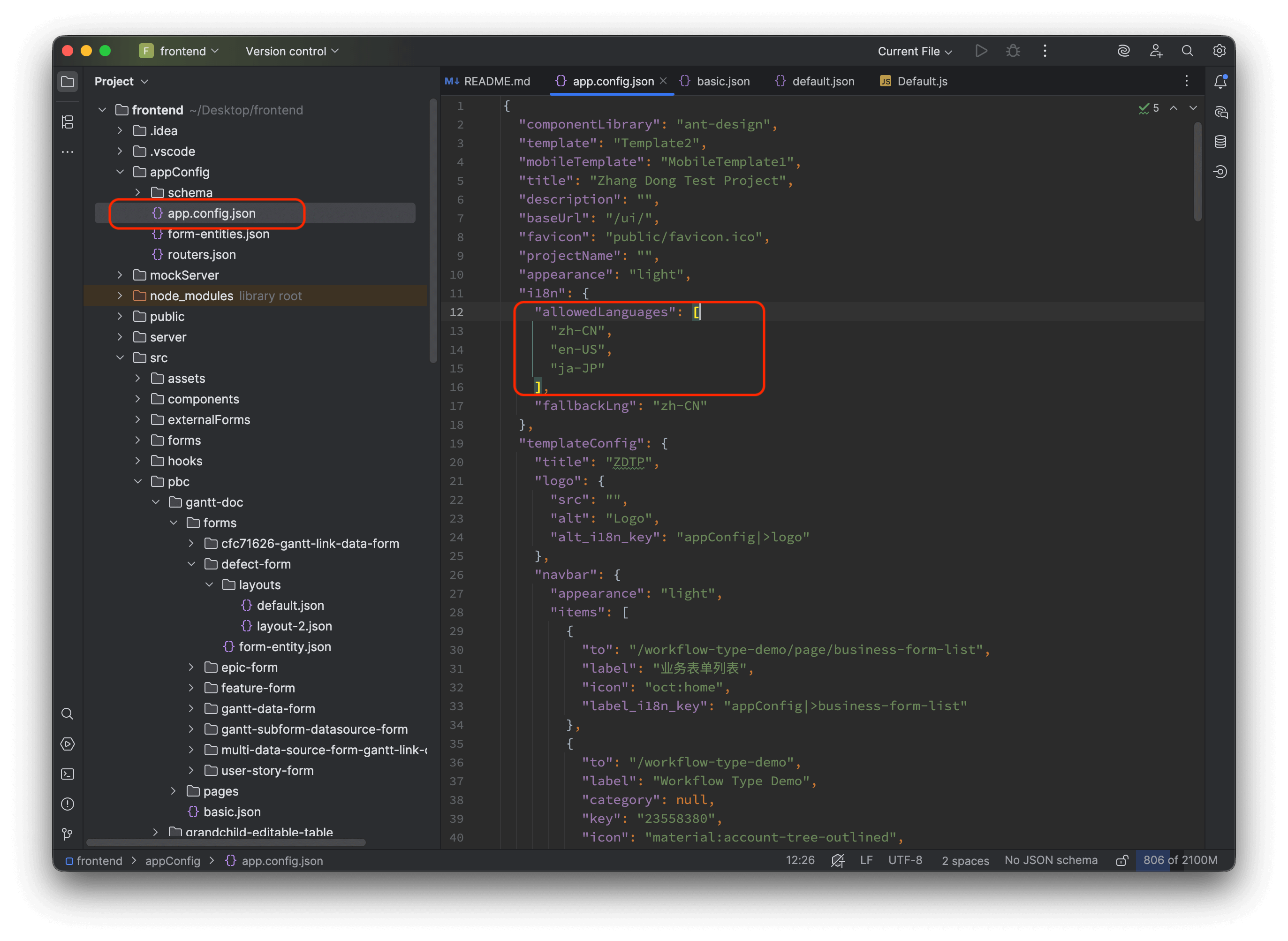
appConfig/app.config.json corresponds to the Configuration Management -> Frontend Configuration tab of the platform project.
It stores all the basic frontend configurations for the current project, such as site name, menu, theme, and other configuration information.
For example, the multi-language configuration supported by the example project's website is shown on the platform:
The corresponding local project configuration is:
src Source Code Directory
src contains all the source code for the entire website. Among them:
-
index.jsis the entry file for the entire website. -
src/components/Templatescorresponds to the website's framework templates, which automatically parse thetemplateConfiginapp.config.jsonto display the corresponding configurations. -
src/pbccontains all forms and pages under all PBCs of the project.For example, in this sample project, there is a Gantt Doc (gantt-doc) PBC, which has a Defect (defect-form) form, and within its Default (default) layout, there is a Count field. The platform configuration is shown in the screenshots:
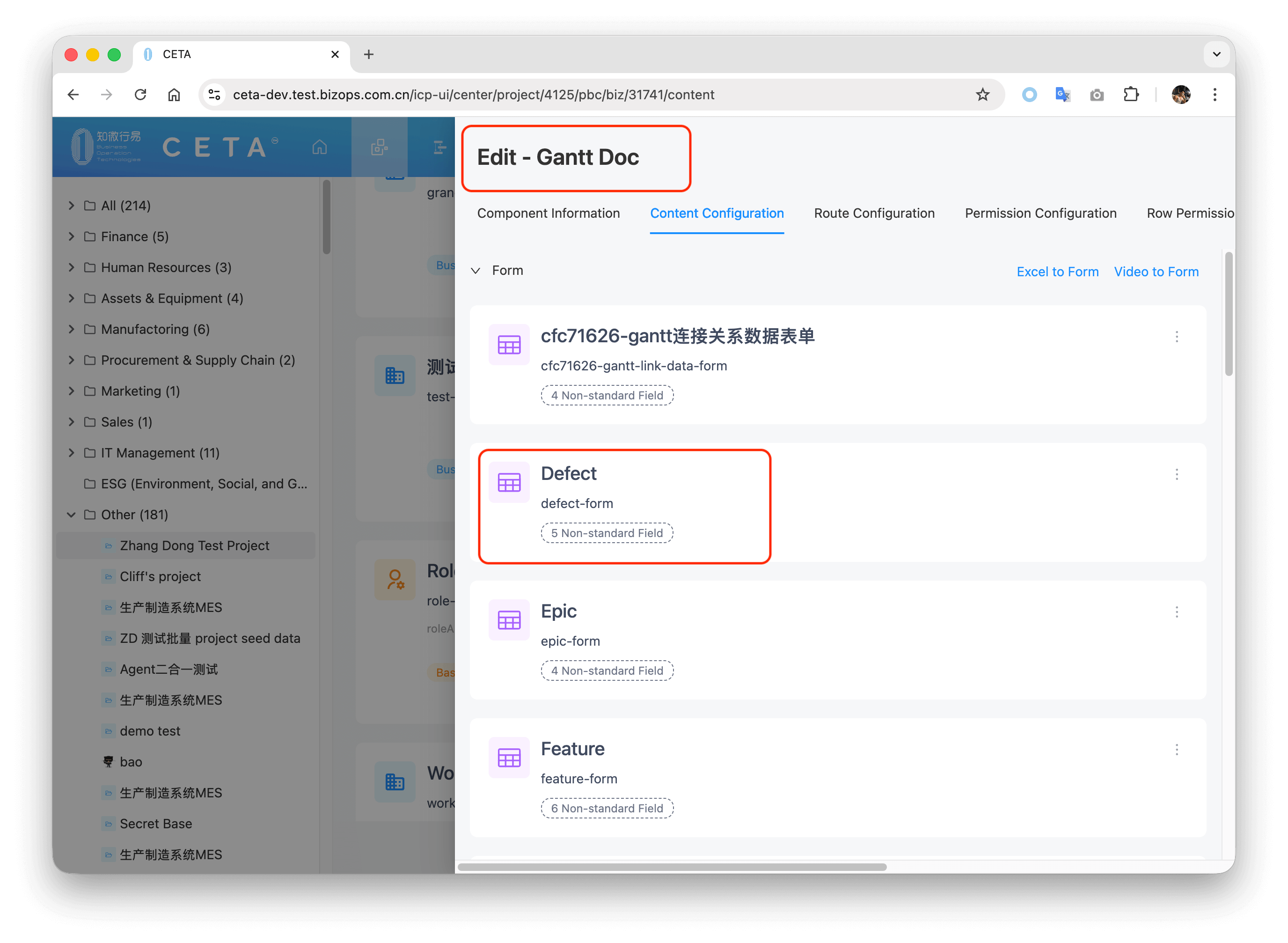
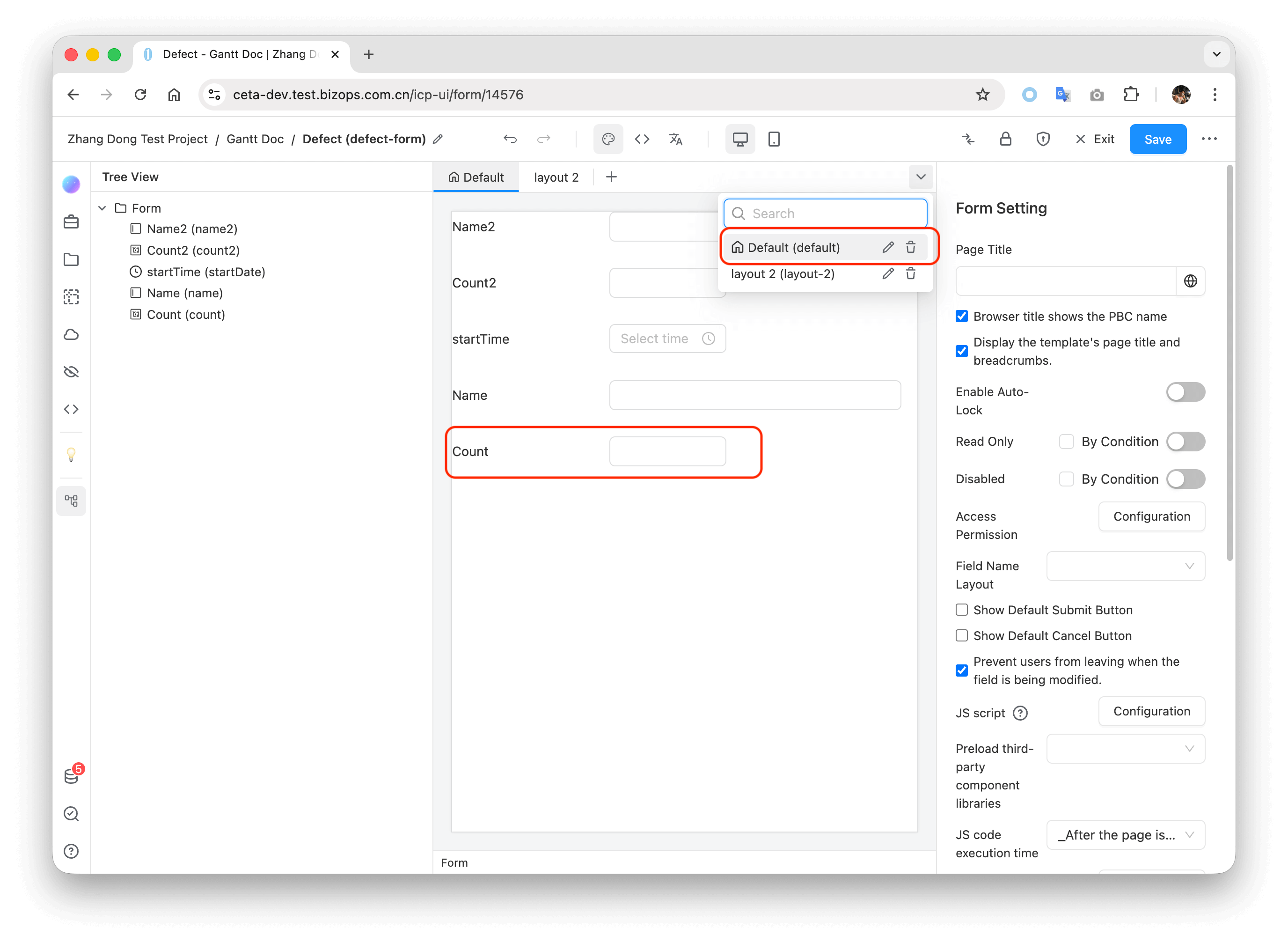
The corresponding local project code is shown below:
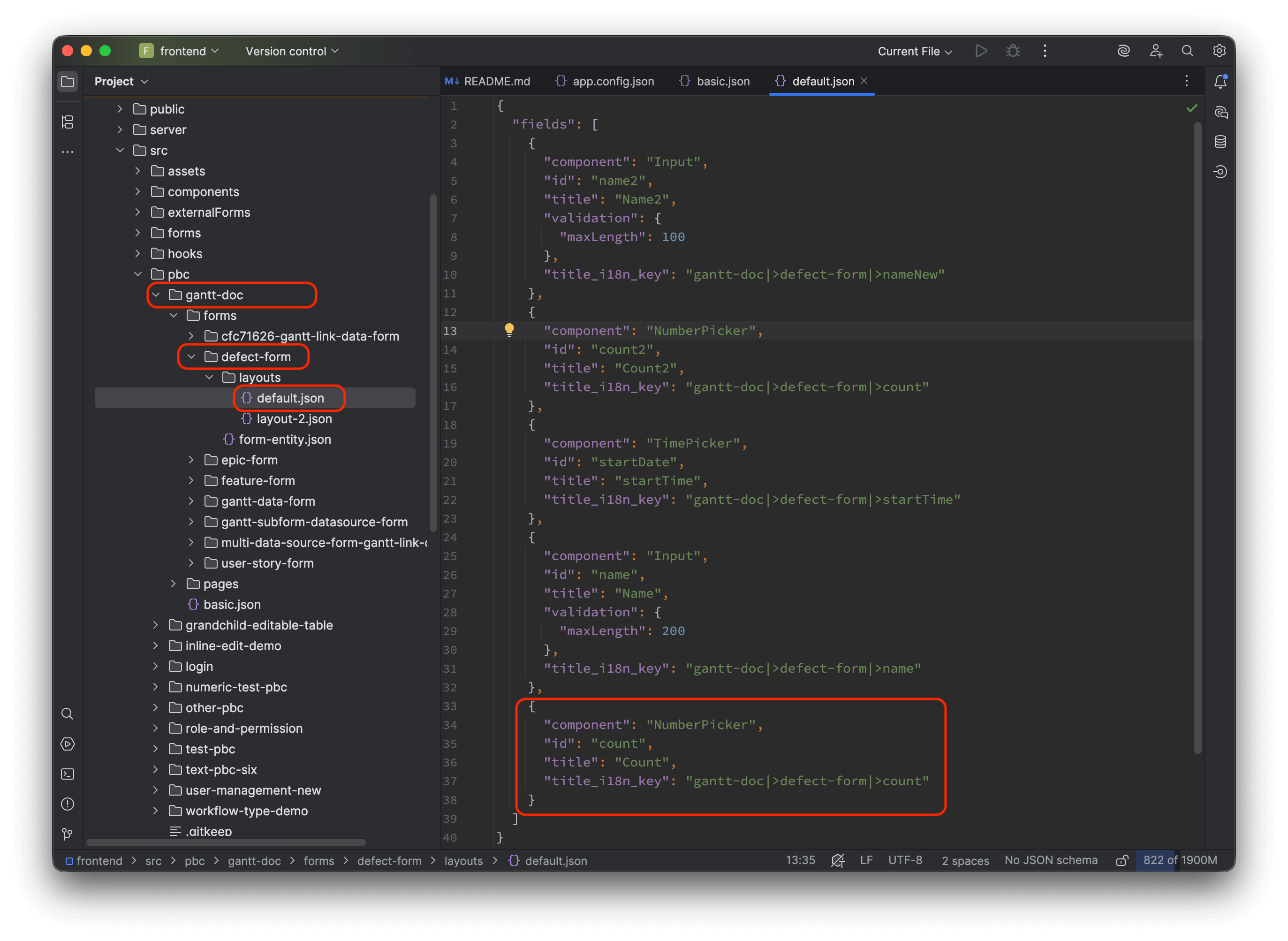
-
src/pbcCodecorresponds exactly to all folders and subfolders insrc/pbc, and contains the JS code generated for all forms and pages within the PBCs after the Code Generator operation.For example, the JS code corresponding to the Count field under the Defect form above is shown:
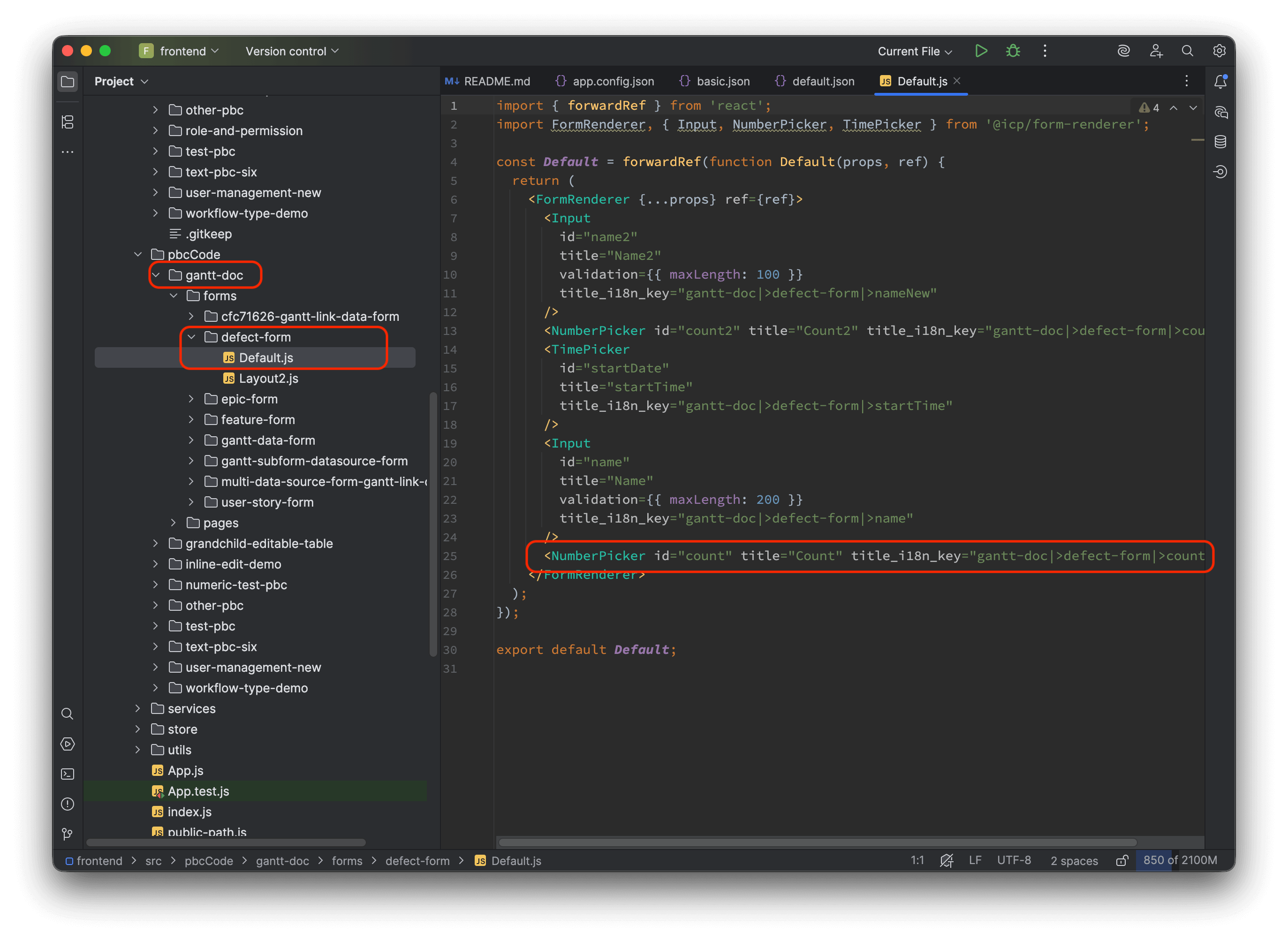
Developing and Building the Project
Modifying target: 'http://localhost:3002' in the webpack.config.js file can proxy the backend service API requests to your backend service address, for example, changing it directly to the Try Run address of your exported project (without the /ui suffix).
Starting the Project Using JSON Source Code in the pbc Directory
Running Development Mode
yarn start
Building the Project
yarn build
Starting the Project Using React JSX Source Code in the pbcCode Directory
Running Development Mode
yarn start:code
Building the Project
yarn build:code
For other commands, please read the README.md file in the project's root directory.
The only difference between the yarn start and yarn start:code commands is whether to use the json source code in the src/pbc directory or the corresponding js component source code in the src/pbcCode directory. Other directories, such as src/component, src/hooks, etc., are unaffected.
In other words, all forms and pages configured by the platform are only located in the src/pbc directory and its corresponding src/pbcCode directory.