Using High-Precision NumericPicker
Basic Component Usage
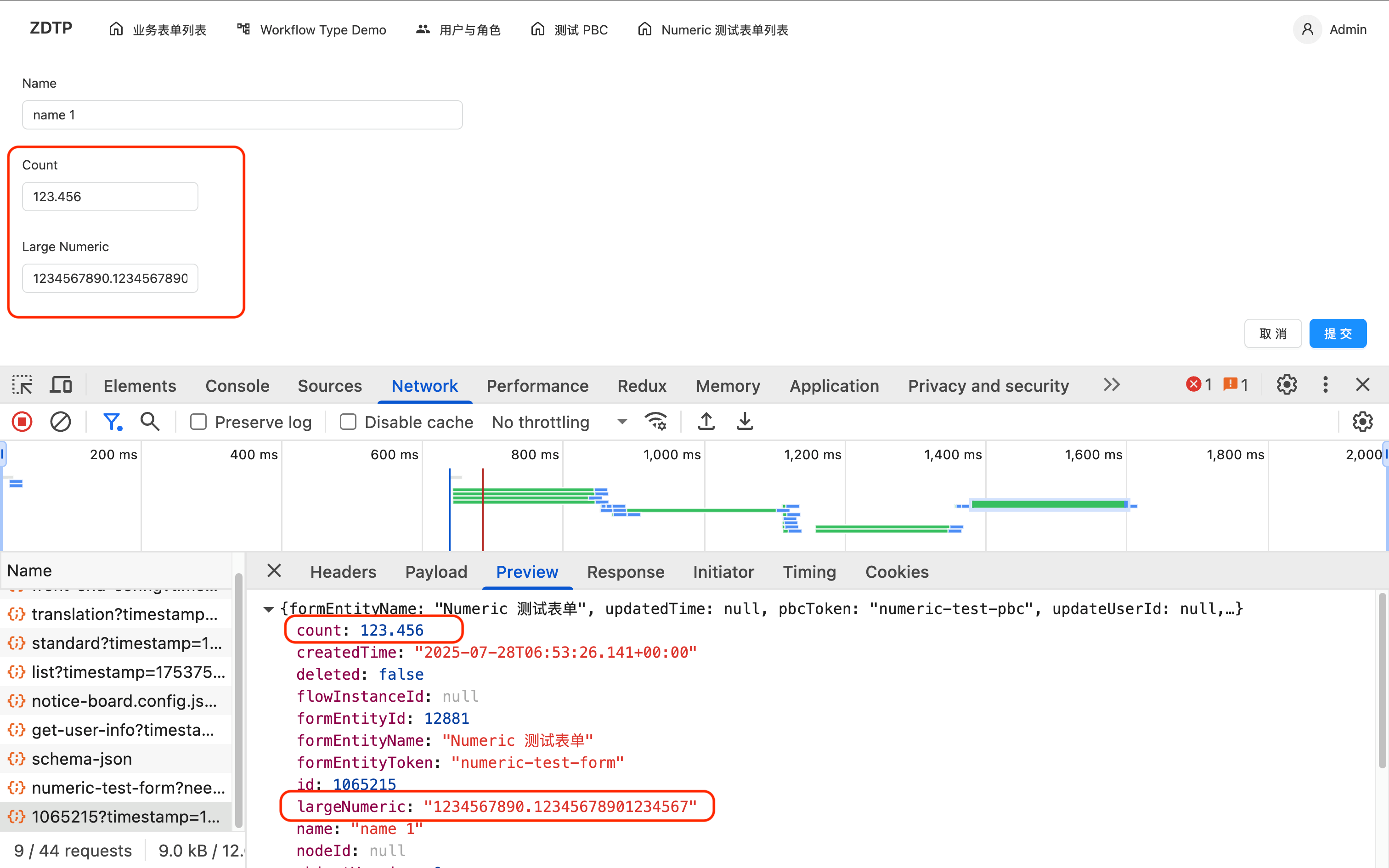
The high-precision NumericPicker will change the number values transmitted between the frontend and backend from number type to string type (because the number type in browsers does not support high precision).
For example, as shown in the image below, there are 2 fields: count is the value entered through the ordinary NumberPicker component, while largeNumeric is the value entered through the high-precision NumericPicker. The former is a direct number, while the latter is a number converted to a string.
To use it, use the high-precision NumericPicker from the component library directly.
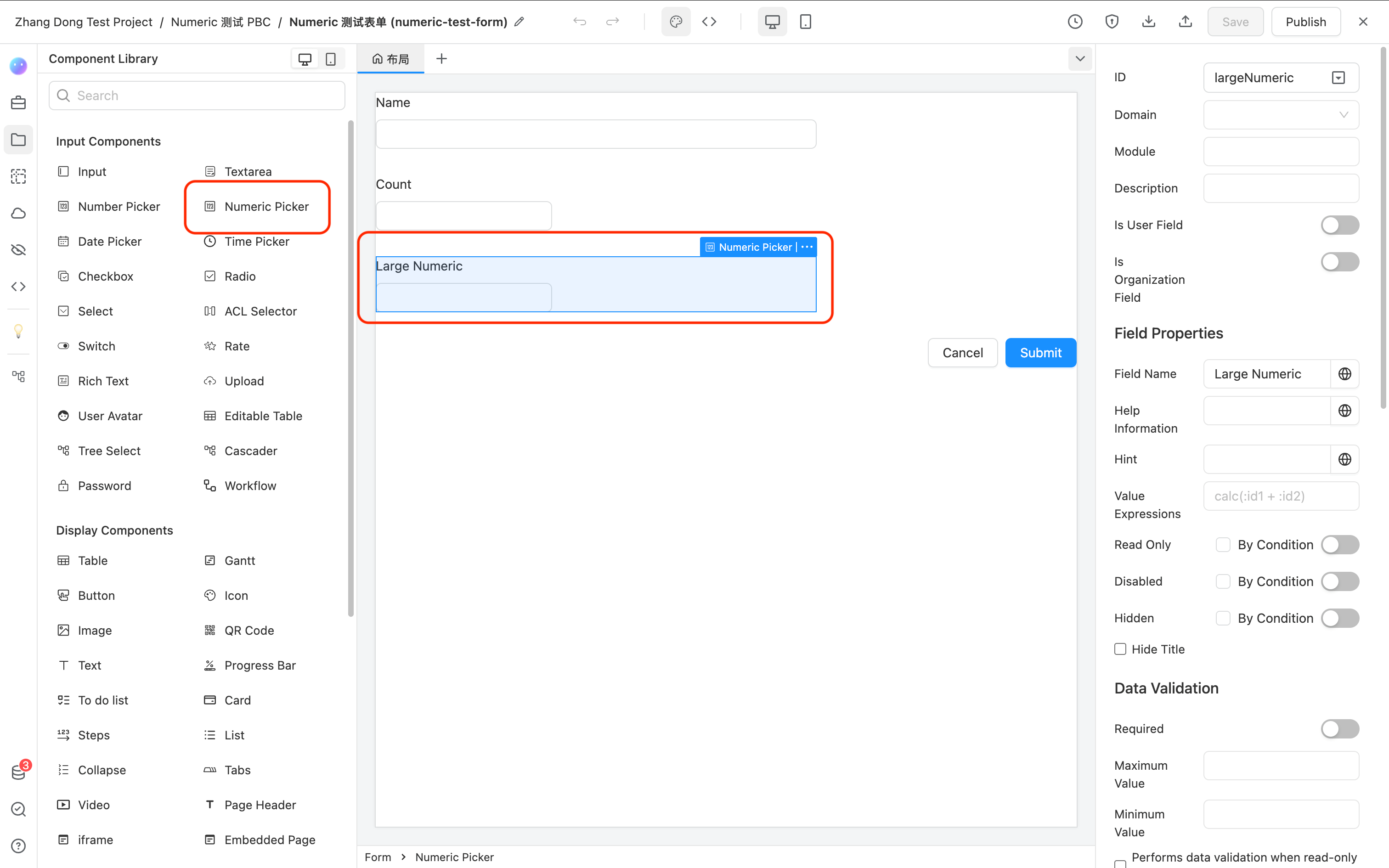
At this point, if you have no additional requirements, you only need to use this component, and no other operations are necessary; everything will work normally.
Operating High-Precision Numbers in JS Code
Since numbers are now represented as strings, you cannot directly perform arithmetic operations (addition, subtraction, multiplication, division) on them. You need to use specific methods for operations.
We provide the third-party library bignumber.js for operations.
Below is an example of its usage on the platform:
- Check the option to preload
bignumber.jsat the form level.
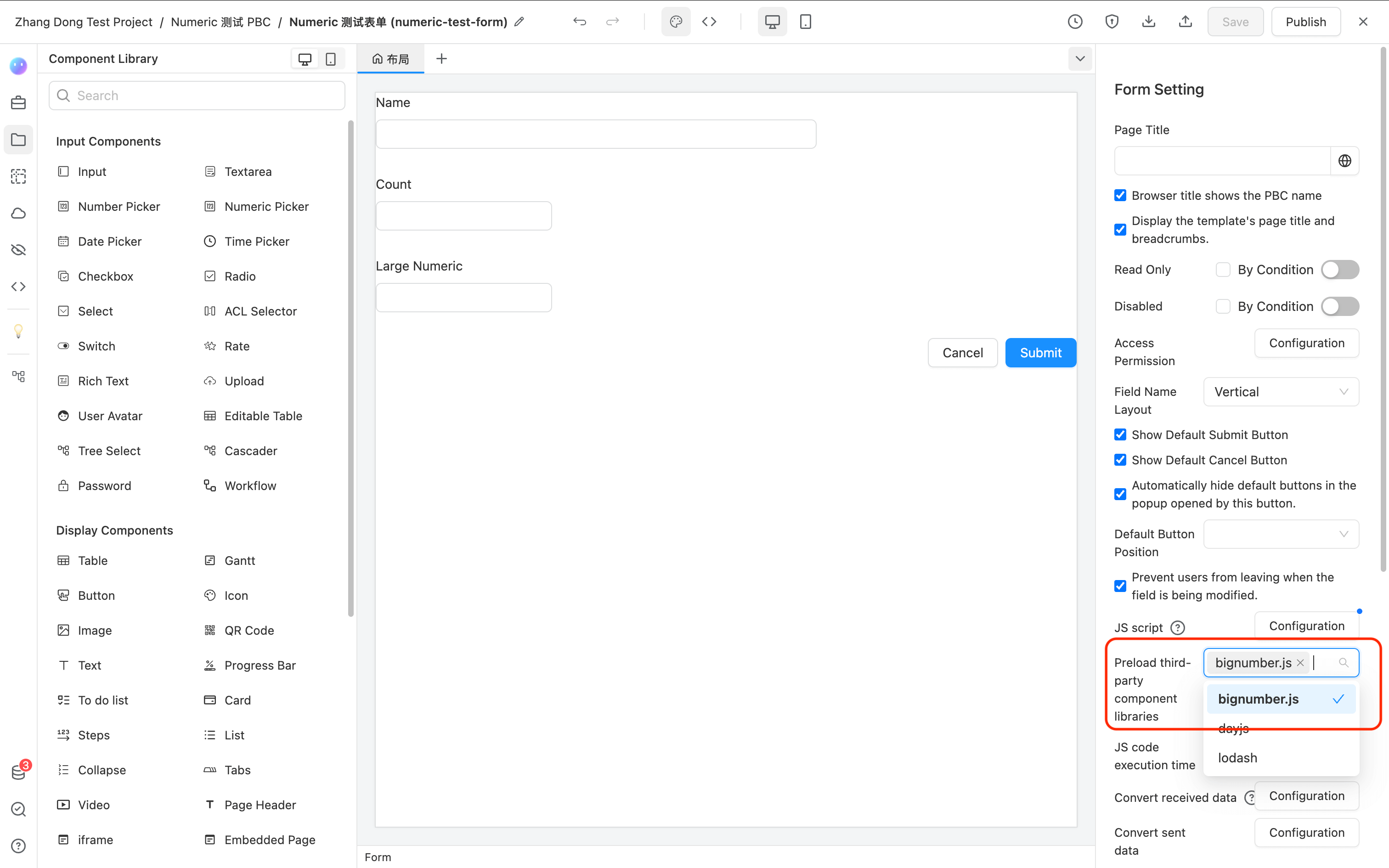
- Perform operations in JS code.
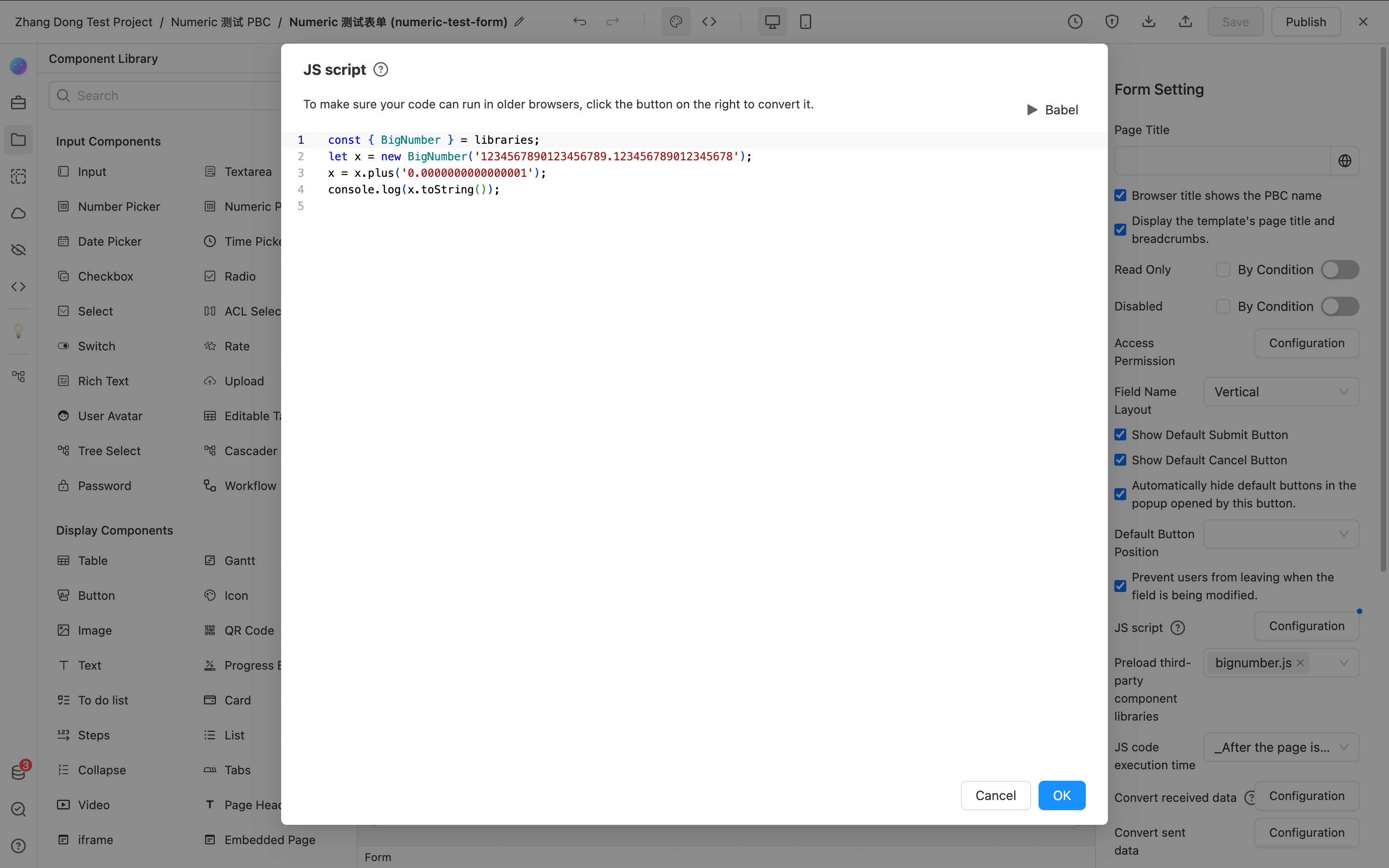
The example JS code is as follows:
const { BigNumber } = libraries;
let x = new BigNumber('1234567890123456789.123456789012345678');
x = x.plus('0.0000000000000001');
console.log(x.toString());
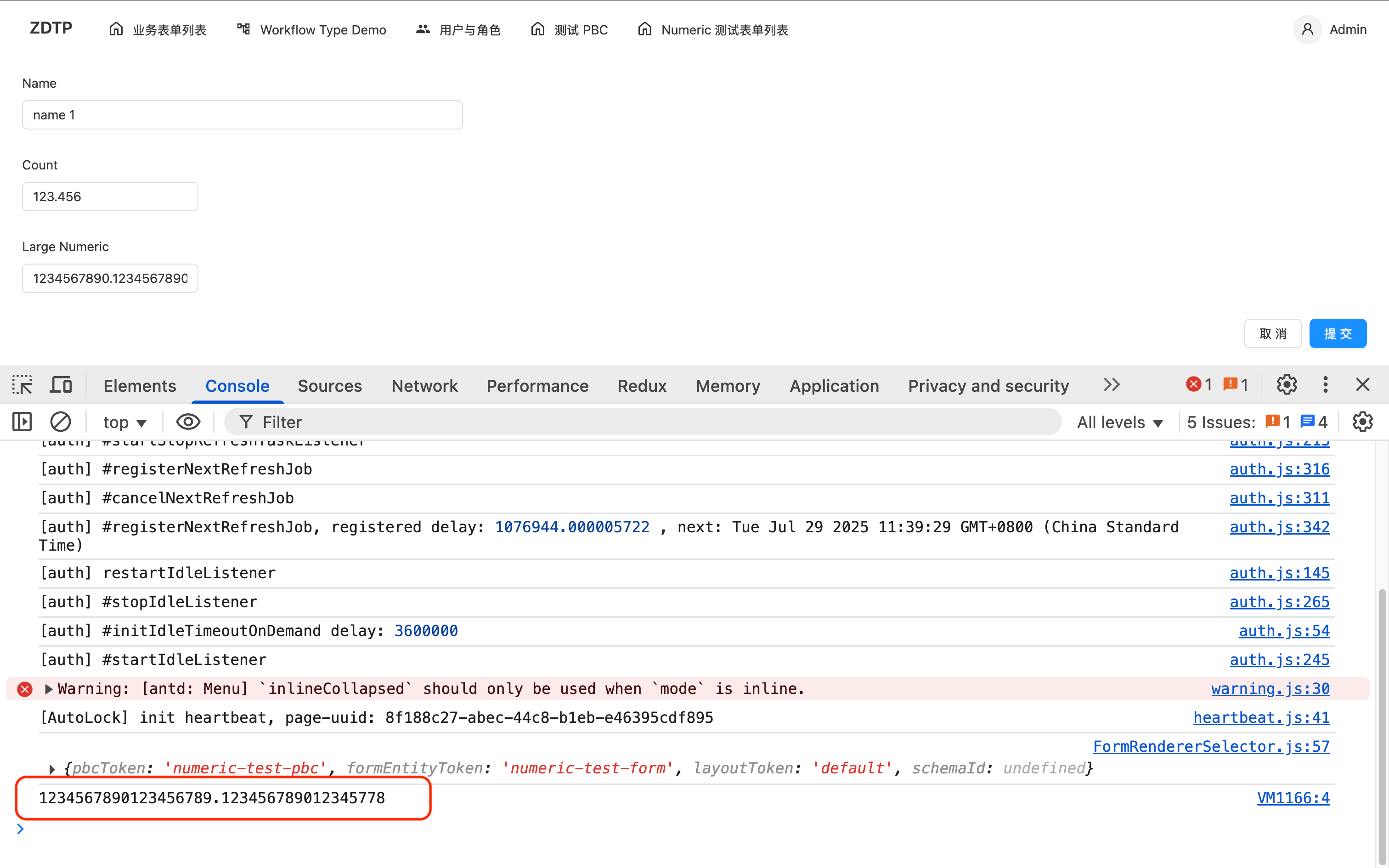
Save and check the browser console. The result is shown in the image below. You can see that adding 0.0000000000000001 to 1234567890123456789.123456789012345678 results in 1234567890123456789.123456789012345778.
The complete bignumber.js official documentation can be viewed here: bignumber Official Documentation.
API
The complete NumericPicker API reference can be found here: NumericPicker