Using iframe
note
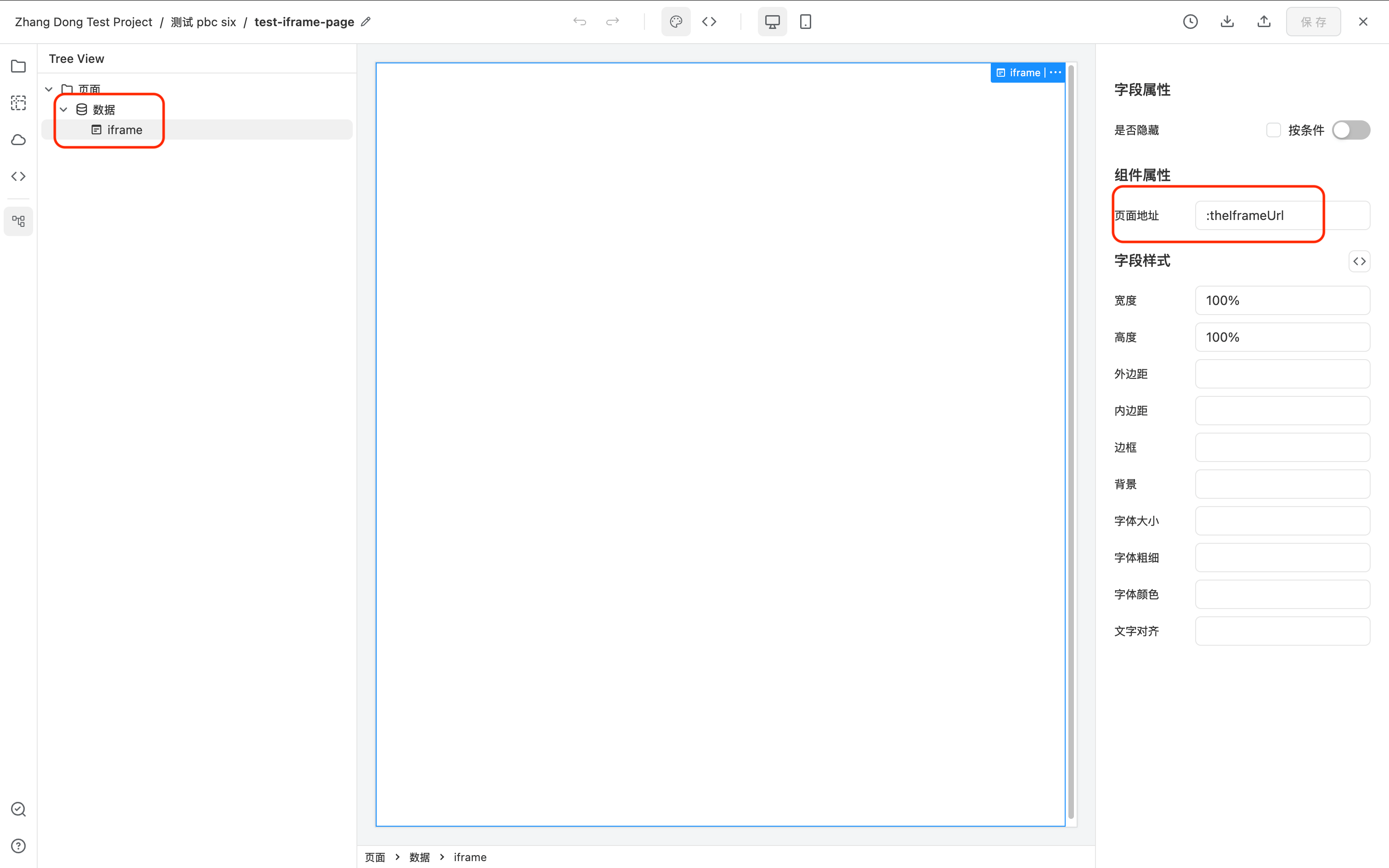
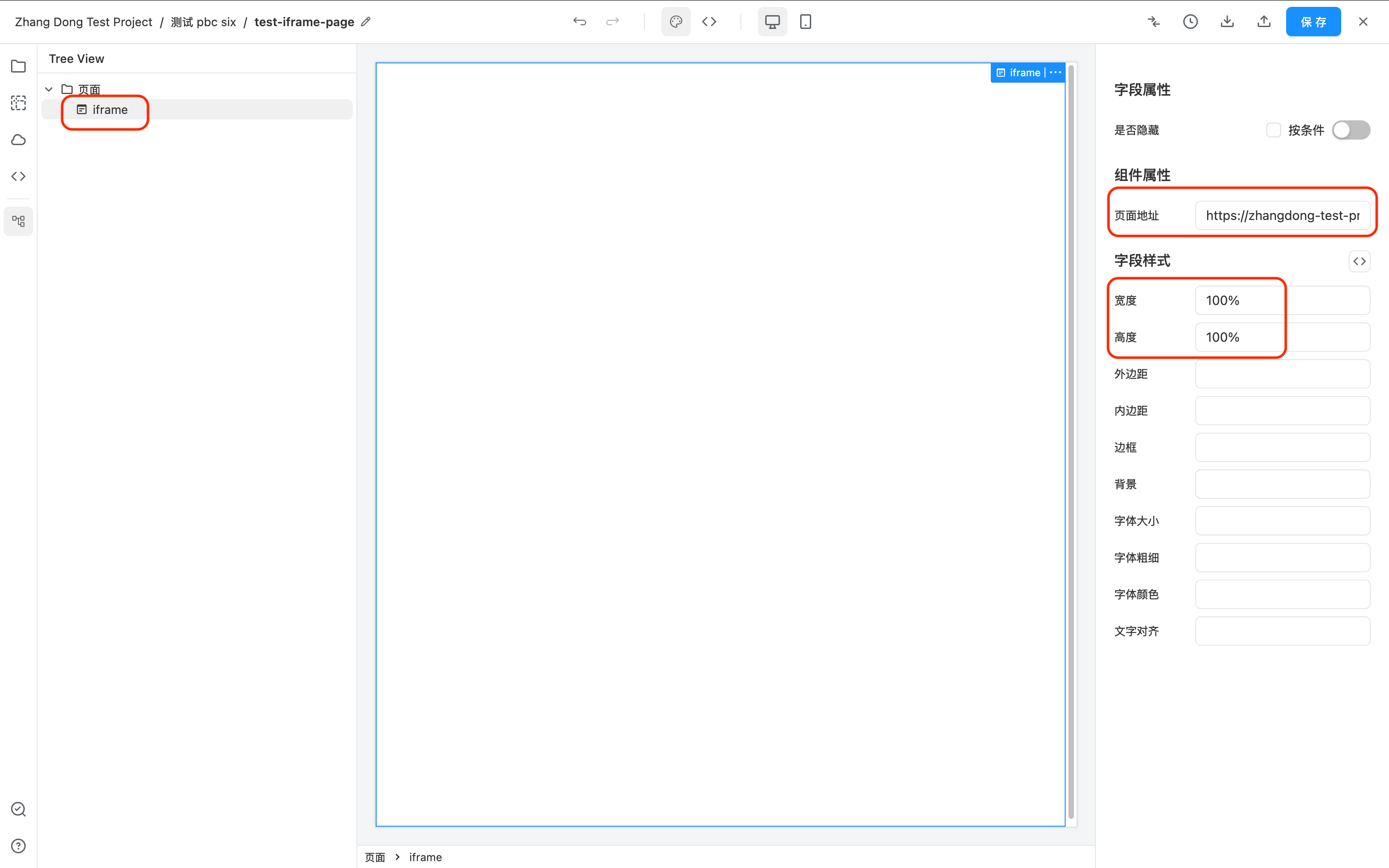
The iframe cannot be selected directly on the canvas. Please select the iframe from the component tree on the left.
Static URL
- Drag an iframe component from the component library to the page.
- The iframe must have its width and height set.
- In the iframe's property panel, find the Page Address property and enter a static URL.
Dynamic URL
The Page Address property of the iframe supports variable syntaxVariable Pattern
For example, the following shows how to use a Data component to dynamically request data, and then use the theIframeUrl from the returned data as the URL for the iframe.