Using Location
The Location component is used to obtain the user's current geographic position in a form. It is suitable for scenarios such as check-in, on-site inspection, and field work records.
Basic Usage
- Drag the Location component into the form designer.
- At runtime, the user clicks the "Get Location" button. The browser will request location permission and retrieve the current coordinates.
- Once positioning succeeds, the coordinate information is automatically filled into the form field and submitted along with the form.
The browser will show a location permission prompt on first use. The user must click "Allow" to obtain the position.
Configuring Reverse Geocoding (Coordinates to Address)
By default, the component only displays latitude and longitude. To also display a human-readable address (e.g. "No. 1 Zhongguancun Street, Haidian District, Beijing"), you need to configure reverseGeocodeUrl.
- Prepare a reverse geocoding API endpoint (can be a wrapper around Amap/Baidu Maps API, or your own backend service).
- Set
reverseGeocodeUrlin the component properties. - After successful positioning, the component will automatically POST
{ latitude, longitude }to that URL. The expected response is{ address: "address string" }or a plain address string.
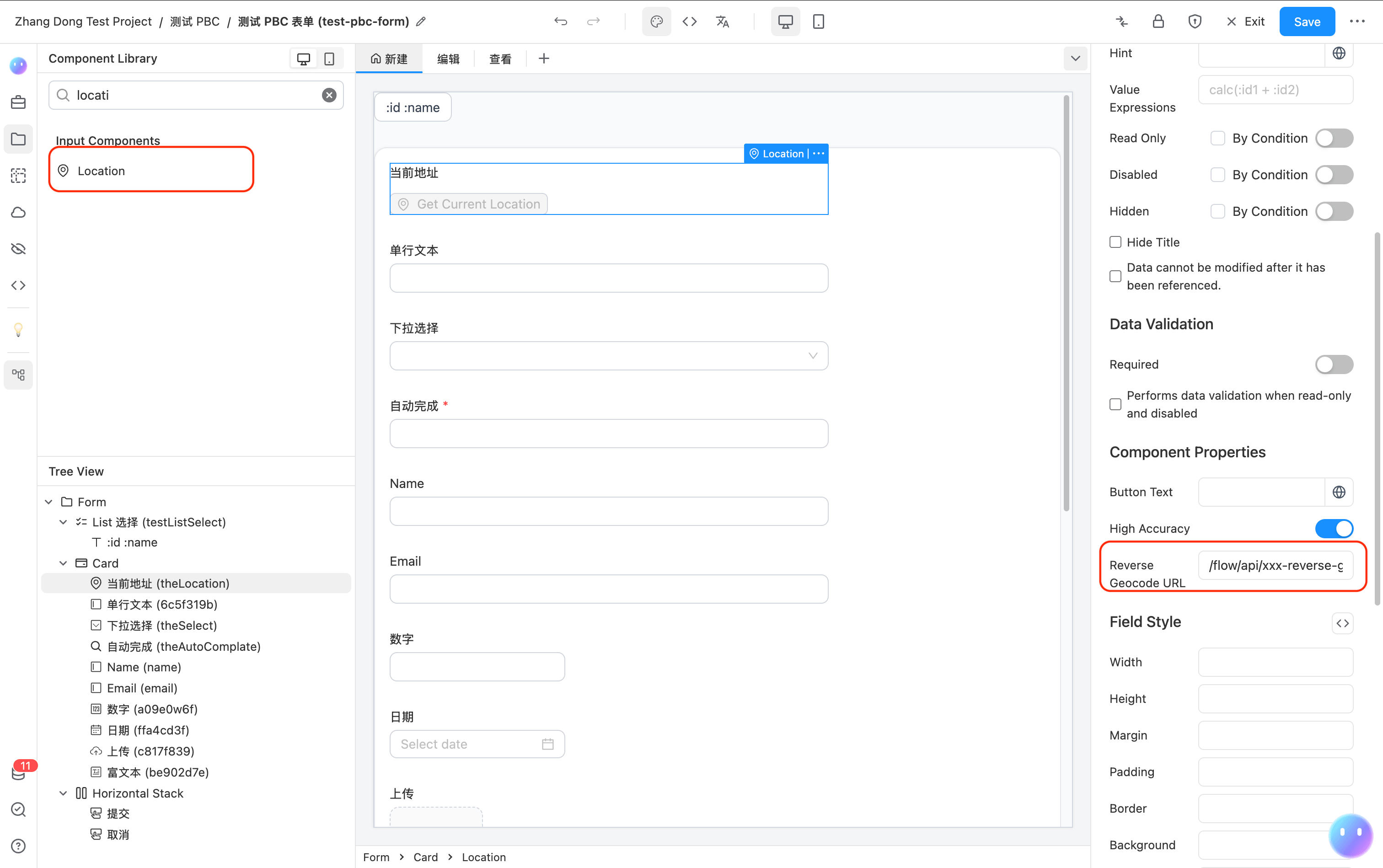
API Example:
POST /api/reverse-geocode
Content-Type: application/json

{ "latitude": 39.9042, "longitude": 116.4074 }
{ "address": "Tian'anmen Square, Dongcheng District, Beijing" }
Value Format
The component value is stored as a JSON string:
{
  "latitude": 39.9042,
  "longitude": 116.4074,
  "address": "Tian'anmen Square, Dongcheng District, Beijing"
}
The address field is only present when reverseGeocodeUrl is configured and the address is successfully retrieved.
Calling via JS in Scripts
In addition to using the Location component, you can call utilsApi.getLocation() directly in form Scripts to obtain positioning programmatically.
const result = await utilsApi.getLocation({
  enableHighAccuracy: true,
  timeout: 10000,
  maximumAge: 0,
  reverseGeocodeUrl: '/api/reverse-geocode', // optional
  suppressGeocodeError: false, // when true, geocode failure won't reject, falls back to coordinates only
});

// result: { latitude, longitude, accuracy, address }
The return value is a Promise that resolves to a { latitude, longitude, accuracy, address } object. You can then assign the result to a form field:
formApi.setFieldValue('locationField', JSON.stringify(result));